Are Instagram Unfollower Chrome Extensions and GitHub Scripts Safe?
Instagram unfollower Chrome extensions and GitHub scripts: how they read your account, why Meta flags them, which permissions to check, and the safe export-based way.
Search for Instagram unfollowers and the results split in two. On one side are apps that want your password. On the other are Chrome extensions and GitHub scripts that promise the same list "without giving anyone your login" because they run in your own browser. That pitch sounds safer. Sometimes it is. Often it is the same risk wearing a different coat.
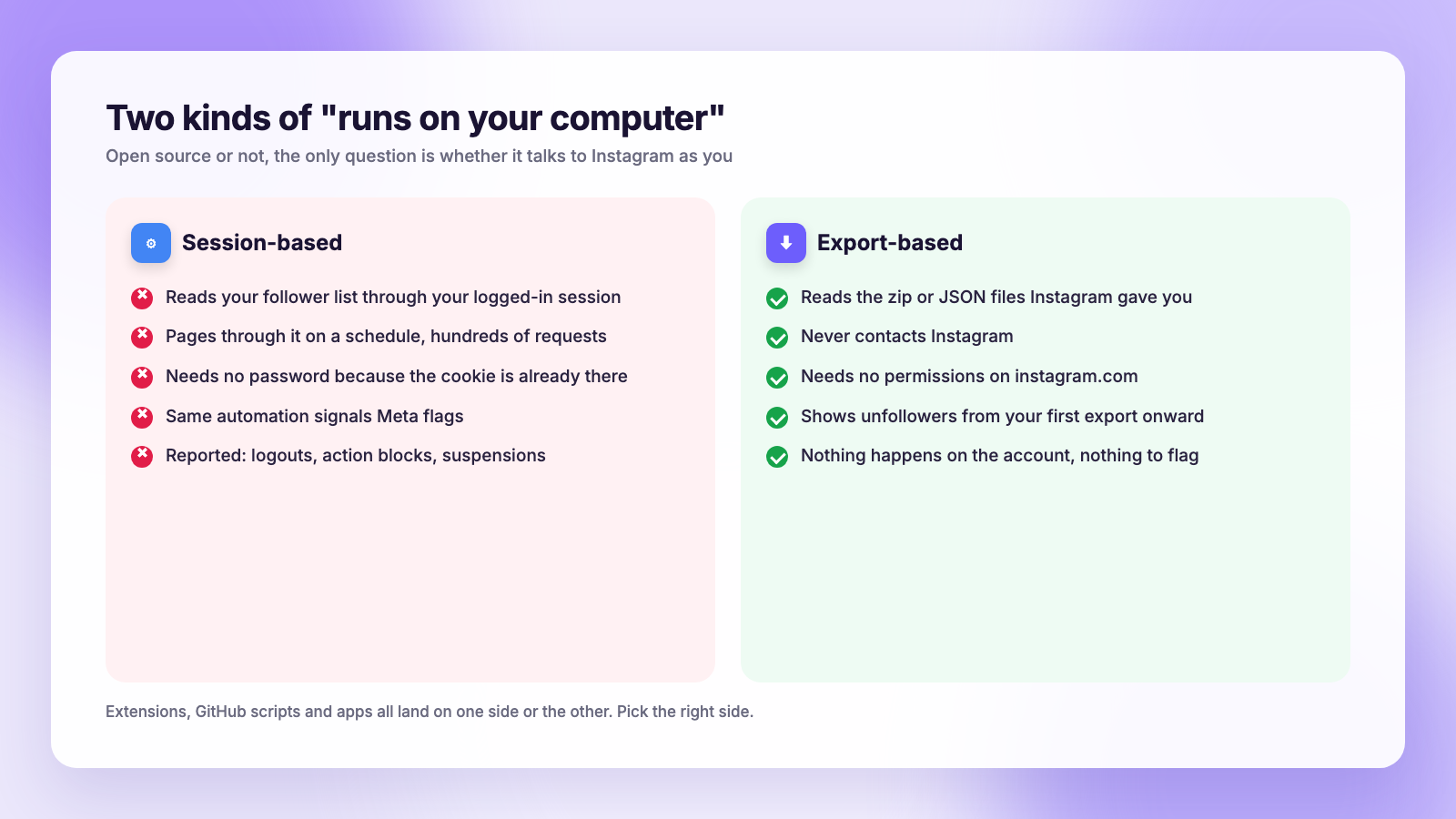
The short version for 2026: An extension or script that reads your follower list through your logged-in Instagram session is doing exactly what Meta flags as automation, and accounts get logged out, action-blocked or restricted for it. A script that only compares two files from Instagram's official data export, offline, touches nothing and is fine. The question to ask of any tool is not "is it open source" but "does it talk to Instagram as me".
How an unfollower extension works
Instagram's official API does not hand follower lists to third parties. So an extension that shows you unfollowers has only one way to get the data: it loads your followers list the way the website does, page after page, using the session you are already logged into, and stores the result. Later it loads the list again and compares.
From Instagram's side that looks like an account fetching its full follower list hundreds of pages at a time, on a schedule, with a request pattern no human produces. Meta's help pages say it limits activity that looks automated. The extension does not need your password because your browser already has the session cookie, which is also why it can do anything else your logged-in account can do.
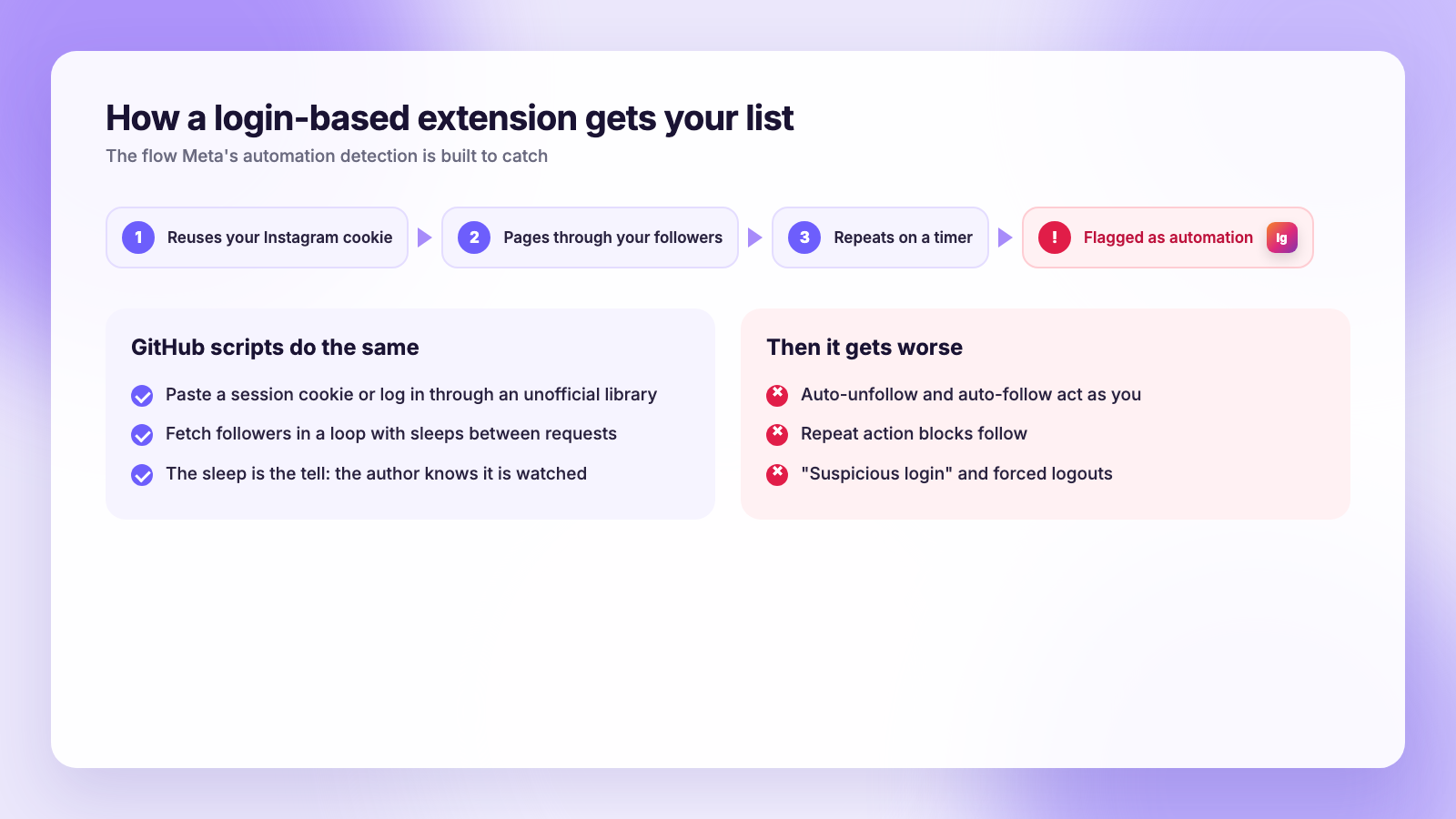
The consequences people report are the familiar ones: "We're sorry, try again later" screens, forced logouts, suspicious-login warnings, action blocks on following, and in some cases suspensions that take days to appeal. Reddit's r/Instagram has a steady supply of these threads, and they read the same whether the tool was an app or an extension.
What GitHub scripts do
The scripts are the same idea without the browser-store wrapper. Most of them ask you to paste your session cookie, or log in through an unofficial library, then fetch your followers and following in a loop with sleeps between requests to dodge rate limits. The "sleep between requests" line in the code is the tell: the author knows Instagram is watching for this.
Some scripts go further and offer auto-unfollow. That crosses from "reading as you" into "acting as you", which is the behaviour behind most repeat action blocks. Our post on the Instagram unfollow limit covers what happens next.
Open source helps you verify a script does not steal your cookie. It does nothing to make the requests it sends look human to Instagram.
Red flags before you install
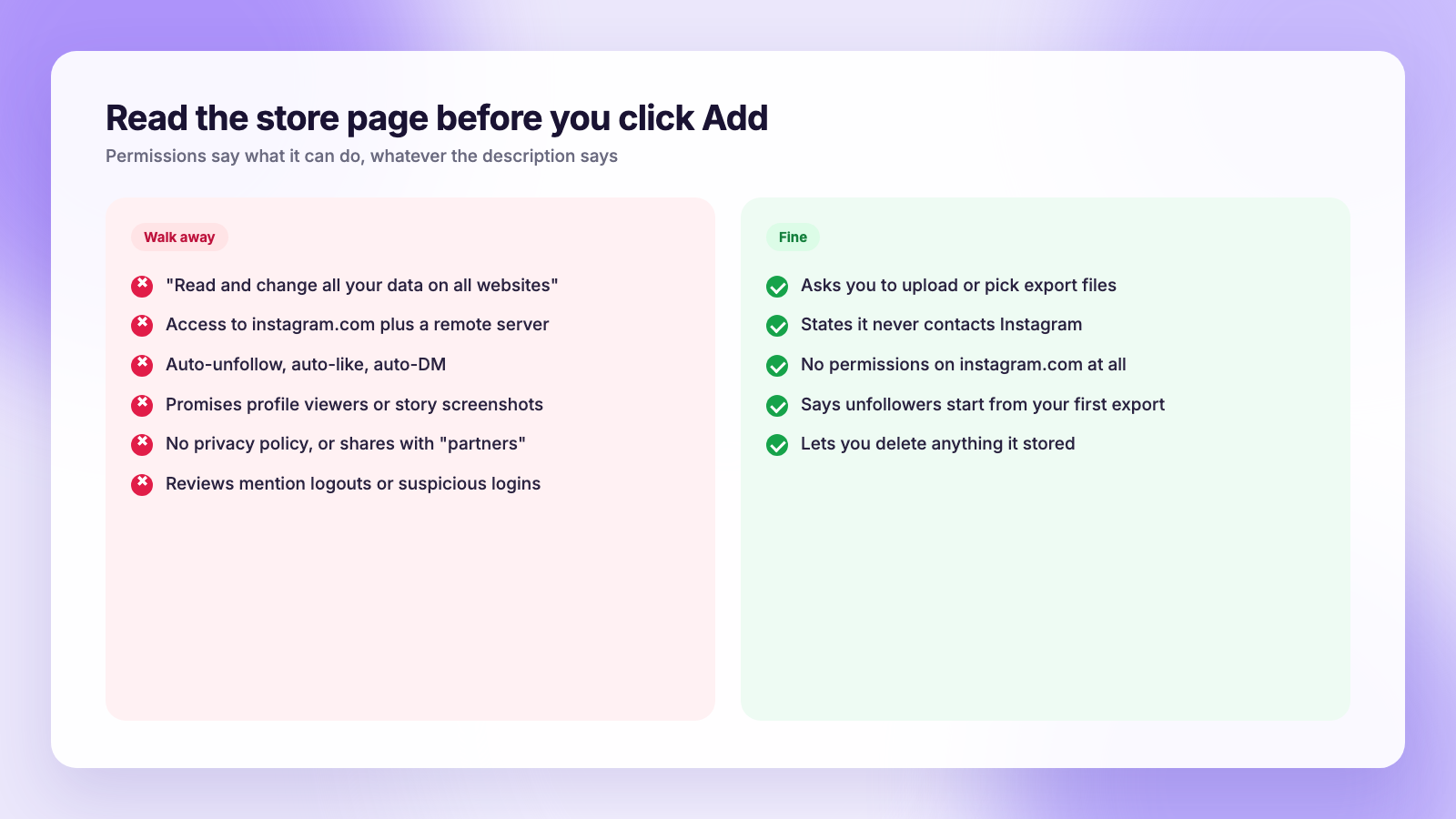
Read the permission list on the Chrome Web Store page before you click Add. The permissions an extension asks for tell you what it can do, regardless of what its description says.
- "Read and change all your data on all websites" for a tool that only needs instagram.com. There is no reason for it.
- Host access to instagram.com plus a remote server. The extension can read your session on Instagram and send data elsewhere. Check the privacy policy for what it sends.
- Auto-unfollow, auto-follow, auto-like, auto-DM. Any automation feature puts the account in the category Meta targets first.
- Promises Instagram does not support: who viewed your profile, who screenshotted your story, who unfollowed you before you installed it. None of that data exists for third parties.
- No privacy policy, or one that mentions sharing with "partners".
- Recent reviews mentioning logouts or "suspicious login attempt". That is the extension's requests being flagged.
- Installs from a link rather than the store. Side-loaded extensions skip Google's review entirely.
Our broader guide on whether Instagram unfollower apps are safe applies the same checklist to mobile apps; the risk logic is identical.
Green flags
- It asks you to upload or select the zip or JSON files from Instagram's data export.
- It says plainly that it never contacts Instagram and does the comparison on your machine or in your browser tab.
- It needs no permissions on instagram.com at all. A file-comparison extension or web page does not need to touch the site.
- It explains that unfollowers only appear from your first export onward, because that is the truth.
- It lets you delete what you uploaded, if it stores anything.
| Session-based extension or script | Export-based tool or script | |
|---|---|---|
| Needs your password | No, uses your login session | No, uses a file |
| Talks to Instagram as you | Yes, repeatedly | Never |
| Looks like automation to Meta | Yes | No activity to see |
| Shows unfollowers | Yes, from install onward | Yes, from first export onward |
| Reported logouts and blocks | Common | None, nothing happens on the account |
| Auto-unfollow features | Often | No |
When a script is completely fine
Plenty of GitHub projects do nothing dangerous at all. They take the followers_1.json and following.json files from your data export, compare them, and print who doesn't follow you back. Some are static web pages that read the zip in your browser and never upload it. Reddit's r/Instagram and r/SideProject have a new one of these every few months, usually built by someone who got tired of the sketchy apps.
Those are safe for one simple reason: they never log in. Instagram sees an export request, which is a normal feature, and nothing else. The only things to check are that the page does not upload your file somewhere (open the network tab if you are curious) and that it handles the current export format, since Meta reshuffled it in October 2025 and broke a lot of older list-comparison tricks. Our guide to Instagram data export problems covers that change.
The same files also work with a spreadsheet, or with ChatGPT if you make it run code; see our guide to finding Instagram unfollowers with ChatGPT.
The export-based alternative, step by step
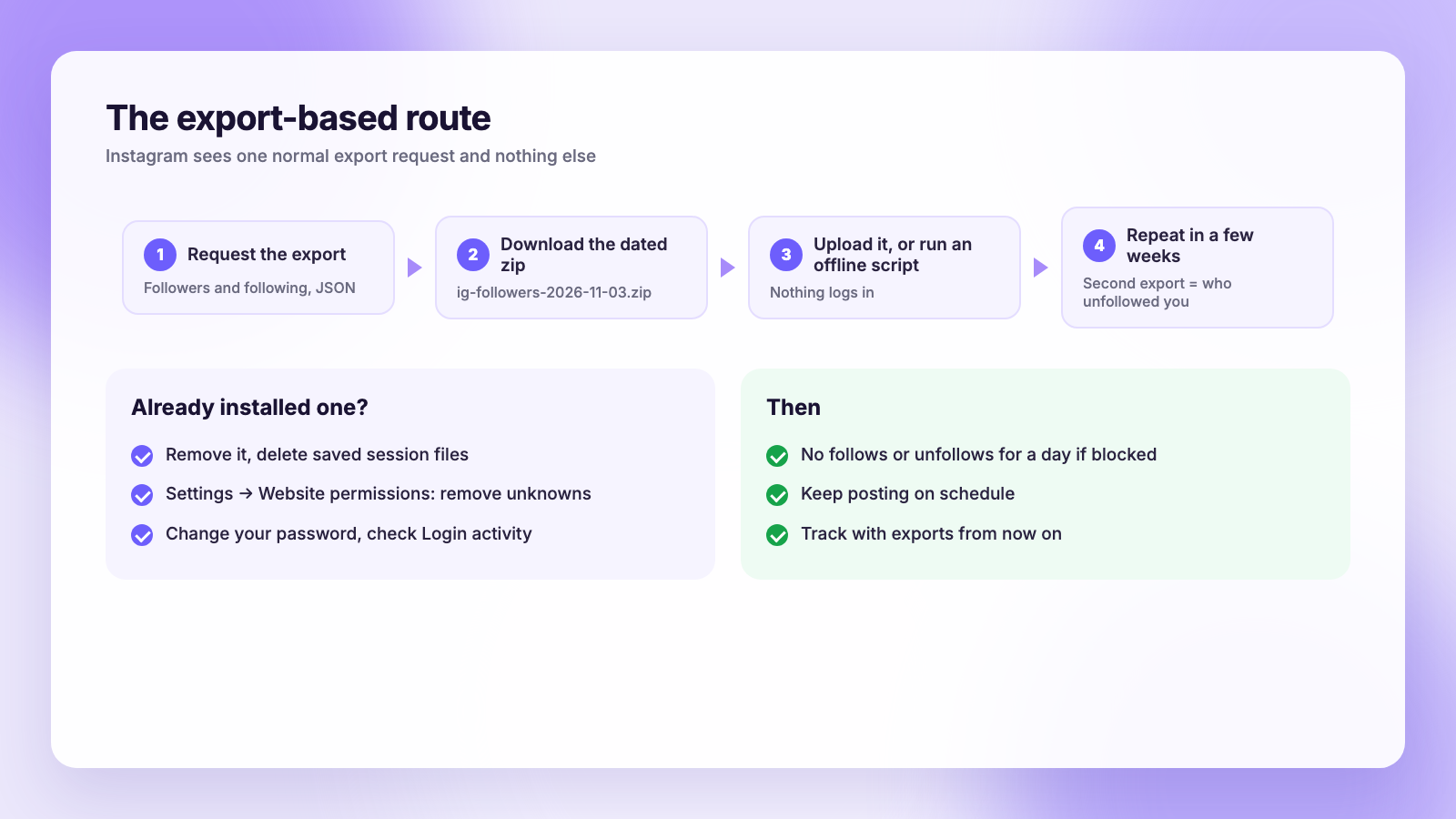
- In Instagram, open Accounts Center, then Your information and permissions, then Export your information.
- Choose your Instagram profile, Some of your information, and tick Followers and following only.
- Pick JSON and All time, then submit. Followers-only exports are usually ready within hours. Our data download guide has screenshots of every screen.
- Download the zip when Instagram emails you and name it with the date.
- Upload it to an export-based tracker, or run your offline script on it.
- Repeat in a few weeks. The second export turns "who doesn't follow back" into "who unfollowed me".
That is the method Plumefy's unfollower tracker is built on. It reads the Instagram and TikTok export files you upload, keeps each dated snapshot, and shows unfollowers, new followers and non-followers without ever logging in as you. There is no extension to install and nothing running inside your Instagram session.
If you already installed one
- Remove the extension from Chrome, or stop the script and delete any saved session file.
- In Instagram, check Settings, then Website permissions or Apps and websites, and remove anything you do not recognise.
- Change your password. A session cookie that was copied to a script may still be valid until you do.
- Review active sessions under Settings, Security, Login activity, and log out anything unfamiliar.
- Stop following and unfollowing for a day if you have seen an action block.
Then keep posting. If you schedule with a tool, Plumefy covers Instagram, TikTok, Threads, Facebook, Bluesky, X, LinkedIn and Pinterest from one composer; see how that compares with Buffer and Publer, which both price per connected channel.
FAQ
Are Instagram unfollower Chrome extensions against the rules?
Instagram's terms prohibit accessing the service through automated means and prohibit collecting data in ways Instagram has not approved. An extension that pages through your follower list on a schedule using your session is doing both, which is why Meta's automation detection reacts to it.
Can an open-source script get my account banned?
Open source tells you what the code does, not how Instagram treats the requests. A script that logs in and fetches follower pages carries the same risk as a closed app doing the same thing. A script that only compares exported files carries none.
Why did Instagram log me out after installing an extension?
Because the extension's requests were flagged as automated or the session was used from an unexpected place, and Instagram invalidated it. Remove the extension, change your password, and check Login activity.
Is there any safe way to get real-time unfollow alerts?
Not for Instagram. Real-time alerts require a tool reading your follower list repeatedly through your session, which is the risky behaviour. Export-based tracking is a snapshot every time you export, which is as close to safe real-time as Instagram allows.
The bottom line
"Runs in your browser" is not the same as "safe". If a tool reads Instagram through your login, it is automation to Meta, whether it is an app, an extension or a script from GitHub. If it reads the files Meta gave you and never touches the site, it is fine. Pick the second kind, keep dated exports, and the account stays yours.
Post everywhere, once.
Start on the free plan — no card needed, upgrade when you need scheduling.
Start free