How to Download Your Instagram Data (Easy Guide)
Want to download your Instagram data without sharing your password? This simple, beginner-friendly guide shows you each step, then how to spot who unfollowed you.
Want to know who stopped following you on Instagram? The first step is to download your Instagram data. This is a free file from Instagram that holds a copy of your own info, like the people you follow and the people who follow you. The best part: you never share your password to get it. Let me show you how, one easy step at a time.
You do not need a special app or any tech skills. If you can tap buttons in the Instagram app, you can do this.
Why download your Instagram data?
Instagram never tells you when someone unfollows you. Your follower count just drops by one, and you are left guessing. But your data file holds the answer. Inside it is a list of every account that follows you and every account you follow. Compare two of these files from different days, and you can see exactly who left.
Other good reasons to grab your data:
- It is yours. You have a right to a copy of your own info.
- It is safe. No password sharing, no shady tools.
- It is a backup. If you ever lose access to your account, you still have your lists.
How to download your Instagram data
Follow these steps inside the Instagram app on your phone. The exact words may change a little over time, but the path stays close to this.
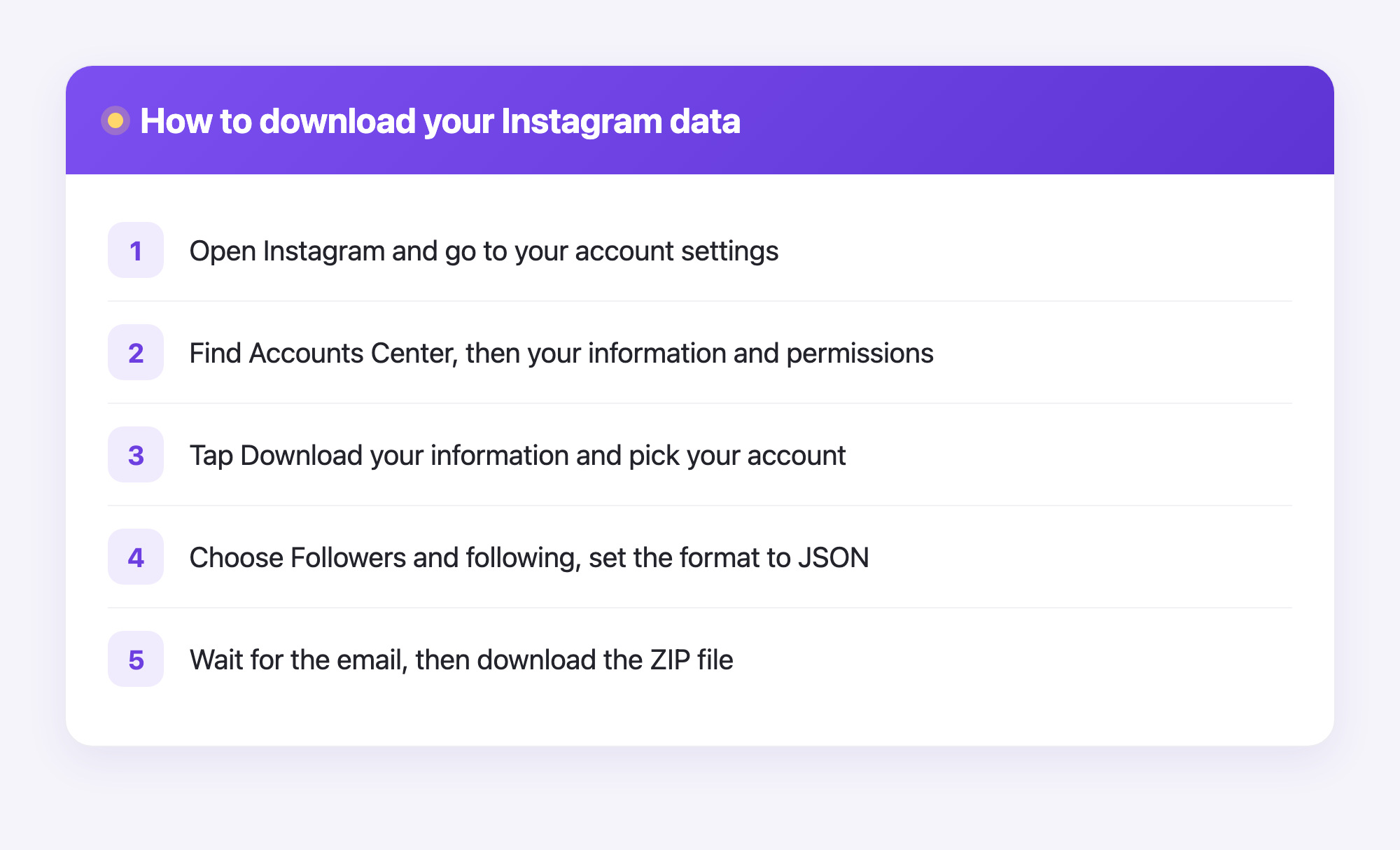
- Open Instagram and tap your profile picture in the bottom corner.
- Tap the menu lines in the top corner, then tap Settings and activity.
- Scroll to Accounts Center and tap it.
- Tap Your information and permissions.
- Tap Download your information, then Download or transfer information.
- Pick your Instagram account.
- Choose Some of your information, then select Followers and following.
- When it asks where to send the file, pick Download to device.
- Set Date range to All time and Format to JSON. This part matters: JSON is the format that tools can read.
- Tap Create files and wait.
Now Instagram builds your file. This can take a few minutes or up to a day. When it is ready, you will get an email or a notification. Open it, tap to download, and save the ZIP file to your phone or computer. Done. You just downloaded your own Instagram data.
Now find out who unfollowed you
The data file is great, but reading it by hand is no fun. It is full of code-like text that is hard for a person to scan. This is where Plumefy helps. You upload the ZIP file you just saved, and Plumefy reads it for you, turning that messy file into a clean, simple list.
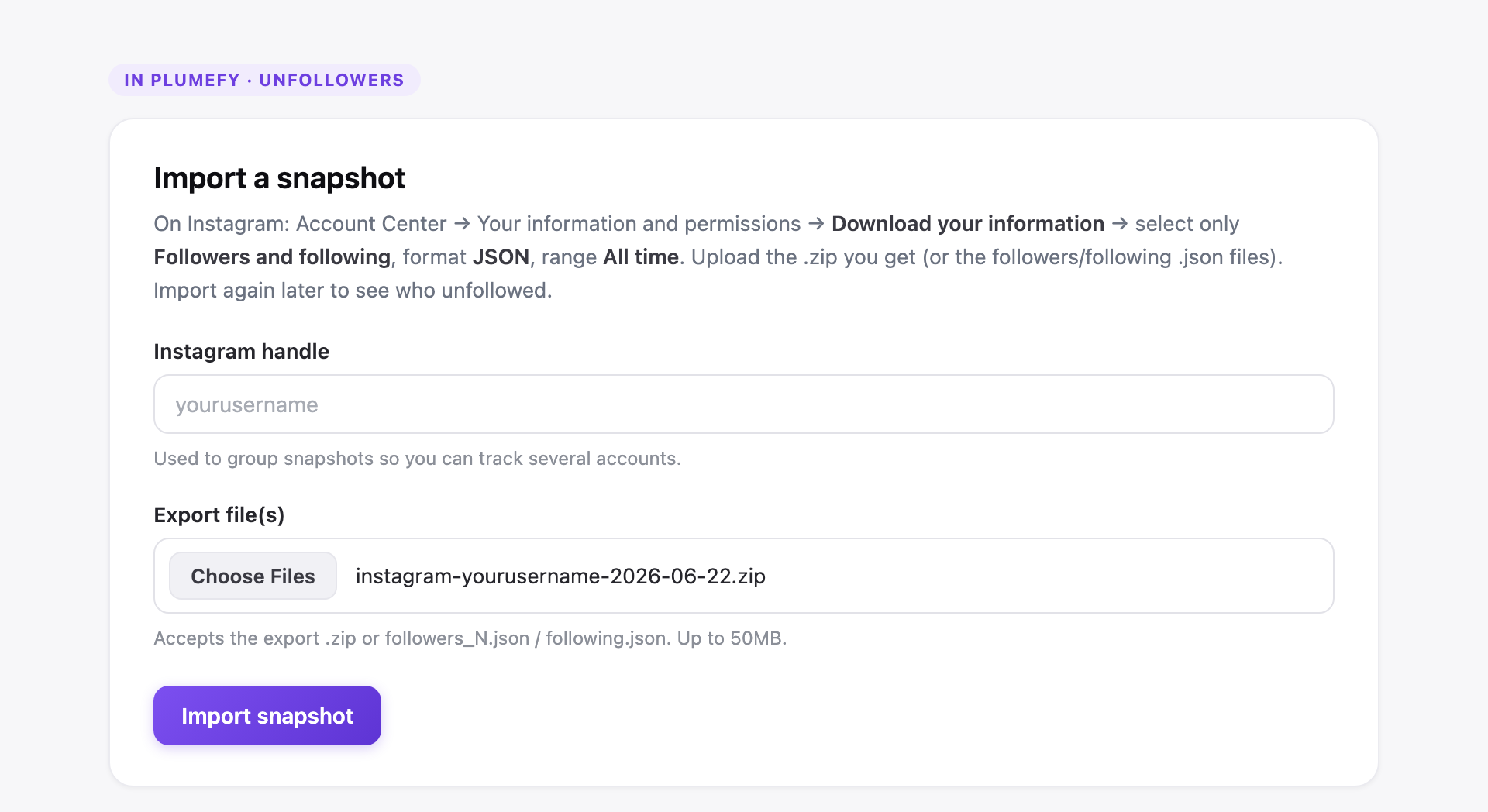
Here is how the import works:
- Sign in to Plumefy and open the import view.
- Drag your Instagram ZIP file onto the page, or tap to choose it.
- Plumefy reads it right away and shows your followers and following.
- Upload a newer file later, and Plumefy compares the two to show who unfollowed you.
You never type your Instagram password into Plumefy. It only reads the file you hand it, so your account stays safe and in your control. Plumefy can also schedule and cross-post to many social platforms, so it makes a handy home base for your whole online presence.
A few tips to make it easy
- Choose JSON, not HTML. HTML looks nicer to people, but tools cannot read your lists from it as well.
- Download more than once. To spot unfollowers, you need at least two files from different days.
- Keep your files. Save them in a folder so you can look back over time.
- Be patient. If your file is not ready yet, give it time. Instagram sends it when it is done.
Frequently asked questions
Is it safe to download my Instagram data?
Yes. You are simply asking Instagram for a copy of your own info. You do not share your password with anyone, and the file comes straight from Instagram to you.
Do I need to give Plumefy my Instagram password?
No, never. Plumefy only reads the data file you upload. It does not log into Instagram for you, so your password stays private.
How long does the download take?
It depends. Sometimes the file is ready in a few minutes. For big accounts it can take a few hours or up to a day. Instagram lets you know when it is done.
Why should I pick the JSON format?
JSON is a format that tools like Plumefy can read cleanly. HTML makes the lists harder for software to pull out, so stick with JSON.
Can I see who unfollowed me with just one file?
Not quite. One file shows who follows you right now. To see who left, you need a second file from a later day so the two can be compared.
You did it. Downloading your Instagram data is simple once you know the path, and it puts you back in charge of your own lists. Upload that file to Plumefy and let it do the hard part for you.
Post everywhere, once.
Start your 7-day free trial — nothing charged today, cancel anytime.
Start free