Are Instagram Unfollower Apps Safe? Beginner Guide
Wondering: are Instagram unfollower apps safe? Learn which apps are risky, the red flags to skip, and a safe, no-password way to see who unfollowed you.
Have you ever wondered who stopped following you on Instagram? Lots of people do. So they look for an app that shows them. But here is the big question many beginners ask: are Instagram unfollower apps safe? The short answer is that some are risky and some are fine. The safe ones never ask for your Instagram password. Let's walk through it slowly, step by step.
Why people want unfollower apps
Instagram does not tell you when someone unfollows you. Your follower number just drops by one. That feels like a small mystery. So people look for tools to solve it.
That is normal. Wanting to know your numbers is healthy. The problem is not the wish. The problem is how some apps try to give you the answer.
Are Instagram unfollower apps safe? The honest truth
Here is the key idea. There are two kinds of unfollower tools, and they are very different.
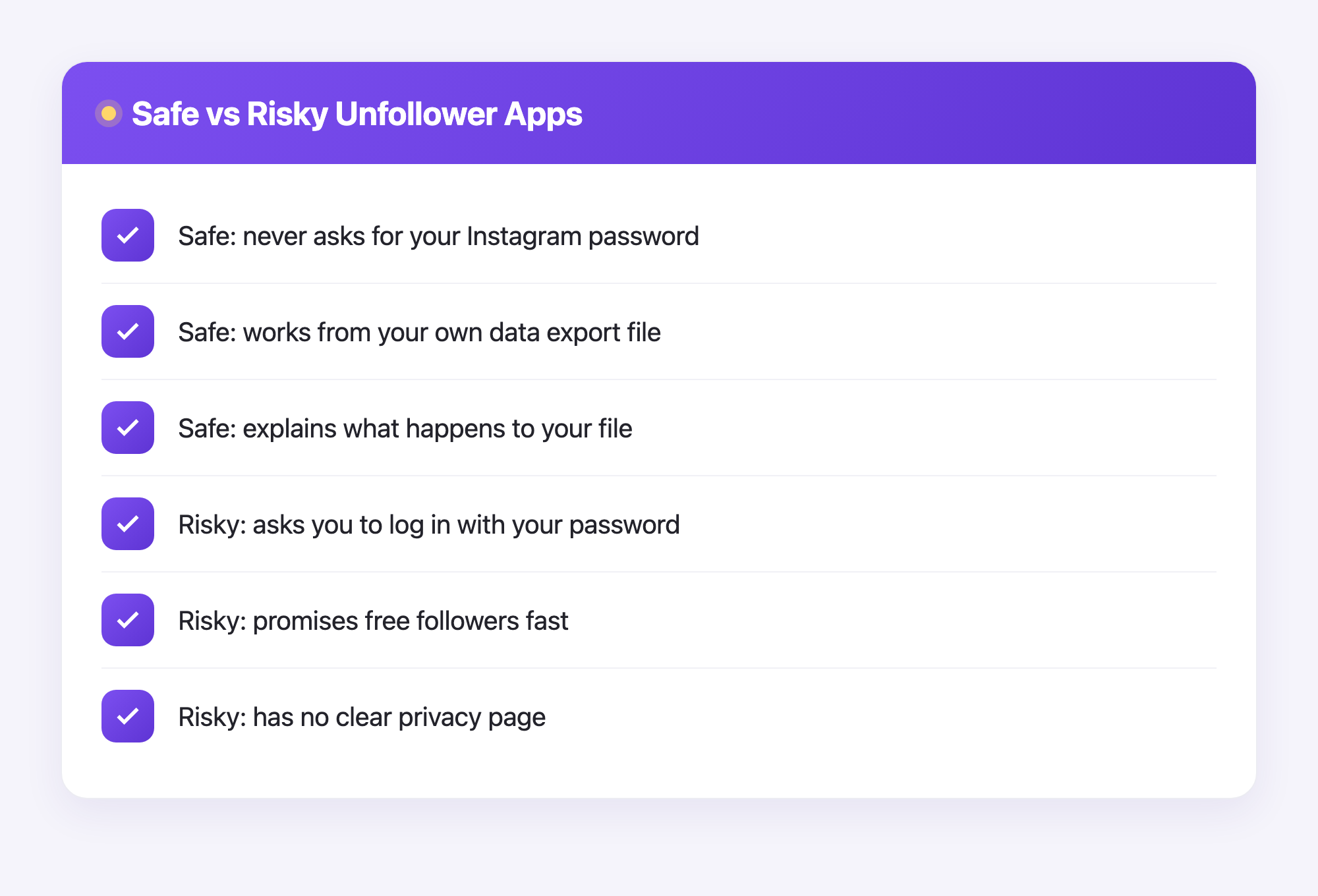
1. Password apps (risky). These ask you to log in with your Instagram username and password. They promise a quick answer. But once they have your password, they can do anything you can do. They might post spam. They might follow strangers. They might even lock you out. Instagram does not like this either, so these apps can get your account banned.
2. Data-export apps (safe). These never touch your password. Instead, you download your own data file from Instagram and upload that file to the tool. The tool reads the file and shows you the answer. Your password stays secret the whole time.
The simplest safety rule: if an app asks for your Instagram password, close it. A safe tool never needs it.
So when someone asks whether Instagram unfollower apps are safe, the real answer is that it depends on which type you pick. Pick the data-export kind.
Red flags to watch for
Before you trust any app, check for these warning signs:
- It asks for your Instagram password.
- It promises thousands of new followers for free.
- It has no clear privacy page that explains what it does with your data.
- It wants payment before it explains anything.
- The reviews are full of "my account got hacked" stories.
If you see even one of these, walk away. There is a safer path.
The safe way to see who unfollowed you
Here is a method that does not risk your account at all. It uses your own Instagram data, which you are allowed to download anytime. It is your data.
- Open Instagram. Go to your settings and find the option to download your information. Instagram will email you a file.
- Wait for the email. The file usually arrives as a .zip file. Inside are your followers and the people you follow.
- Sign up for a safe tool like Plumefy. No Instagram password needed.
- Upload your data file on the import screen.
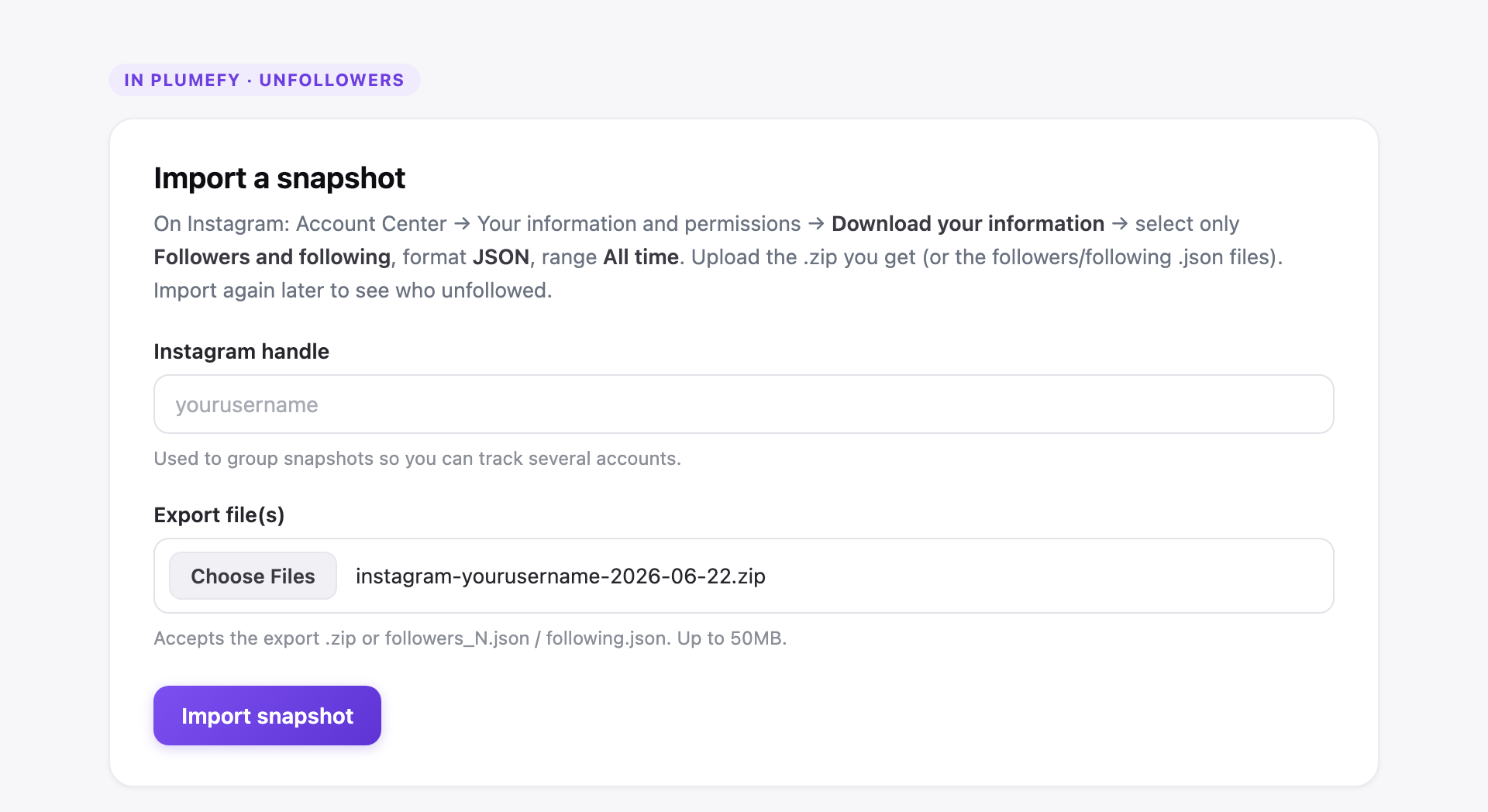
- Plumefy reads the file and shows you who unfollowed you. It compares the people you follow against the people who follow you back.
That is it. Your password never left your head. Instagram never saw a strange login. You stayed in full control.
Why this matters for your safety
When you give an app your password, you are handing over the keys to your house. Even a nice-looking app can leak your password later if it gets hacked.
The data-export way is different. You only share a file that you already own. Even in the worst case, no one can log into your account, because they never had your login. That is why the safe answer is to use a no-password tool every time.
Plumefy was built this way on purpose. It also helps you schedule posts and share them across many platforms at once. So the same safe account can help you grow, not just track unfollowers.
A quick recap
Let's keep it simple. Safe tools share three habits:
- They never ask for your Instagram password.
- They work from your own data export.
- They explain clearly what happens to your file.
If a tool checks all three boxes, you are in good hands.
Frequently asked questions
Are Instagram unfollower apps safe to use at all?
Some are and some are not. Apps that ask for your password are risky. Apps that use your own downloaded data, like Plumefy, are safe because your password stays private.
Can an unfollower app get my account banned?
Password-based apps can, yes. Instagram may flag the strange login and lock your account. A data-export tool does not log in for you, so there is nothing for Instagram to flag.
Do I really not need my password?
Correct. With the safe method, you download your own data file and upload it. The tool reads the file. It never needs your login details.
How do I get my Instagram data file?
Go to your Instagram settings and choose to download your information. Instagram emails you a .zip file in a little while. That file is what you upload.
Is it free to check who unfollowed me?
You can start for free with Plumefy. Downloading your data from Instagram is also free, and it is your right.
You do not have to risk your account to answer a simple question. Pick the safe path, keep your password to yourself, and let your own data do the work.
Post everywhere, once.
Start your 7-day free trial — nothing charged today, cancel anytime.
Start free