How to See Who Doesn't Follow You Back on TikTok
Want to know who doesn't follow you back on TikTok? Use your own TikTok data download plus Plumefy to find non-followers safely, with no password needed.
Ever wonder who doesn't follow you back on TikTok? Maybe you followed a creator, a friend, or a duet partner, and they never followed you back. That is totally normal. Still, it is nice to know who is who. The good news: you can find out in a safe way, using only your own data. No password sharing. No sneaky apps. Just you and a few taps.
In this guide, I will show you exactly how to do it. I will keep it simple. If you can send a text message, you can do this.
Why this is safe (and why some apps are not)
You may have seen apps that ask you to “log in with TikTok” to check your followers. Please be careful with those. When you give an app your password, you hand over the keys to your whole account. That can get your account banned or even stolen.
There is a much safer way. TikTok lets you download your own data. That file lists everyone you follow and everyone who follows you. You never share a password. You stay in control the whole time.
The safest tools never ask for your TikTok password. They only read the file you already own.
Step 1: Ask TikTok for your data
First, get your follower data from TikTok itself. Here is how:
- Open TikTok and tap Profile.
- Tap the menu, then Settings and privacy.
- Tap Account, then Download your data.
- Include your Activity data — that is where your follower lists live.
- Pick JSON or TXT as the format. Both work.
- Tap Request data and wait for TikTok to build your file.
TikTok will get your file ready. This can take a few hours to a couple of days. Check the Download data tab, download the ZIP, and save it somewhere easy to find, like your Downloads folder. Want more detail? Here is our full guide to downloading your TikTok data.
Step 2: Find out who doesn't follow you back on TikTok
Now for the fun part. You have a file full of names, but reading it by hand would take forever. This is where Plumefy helps. You upload the file you got from TikTok, and Plumefy does the matching for you.
Here is what happens:
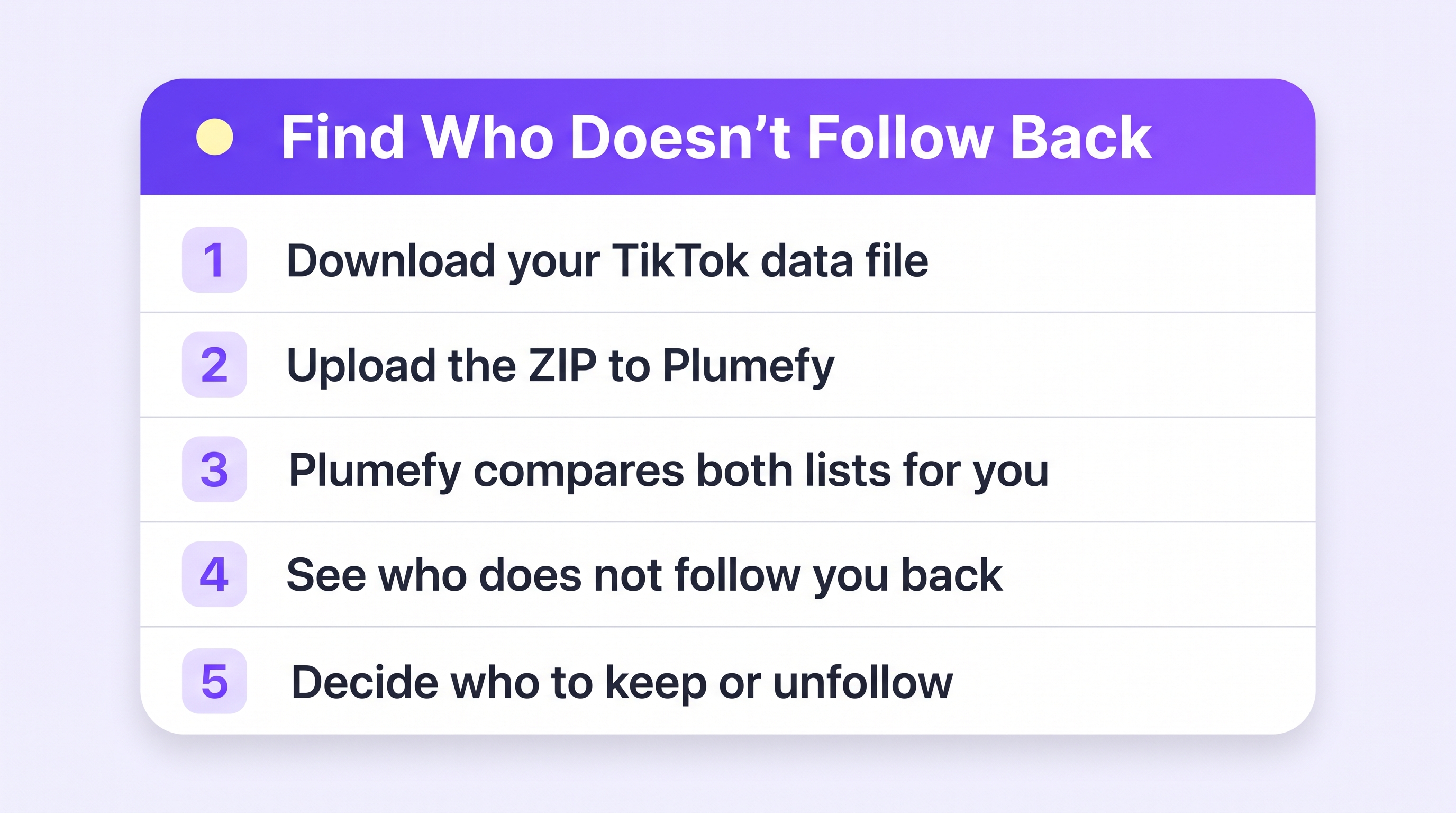
- Open Plumefy and go to the Unfollower tracker.
- Choose TikTok and upload the ZIP you downloaded.
- Plumefy compares your lists in seconds.
- You see a clean list of people who do not follow you back.
That is it. No password. No logging into TikTok through Plumefy. The tool only reads the file you already own. You see clear results in seconds instead of scrolling for hours.
Step 3: Decide what to do next
Now you have your list. Take a breath. Not everyone needs to follow you back, and that is okay. Big creators often follow very few people. That is normal.
Here are some calm ways to use your list:
- Keep the accounts you love, even if they do not follow back. Your favorite creator is worth following.
- Unfollow old accounts you no longer care about, to tidy up your feed.
- Reach out to a friend who maybe just forgot to follow you back. A friendly message works wonders.
You are in charge. The list is just helpful information, not a rule.
A quick tip for growing creators
Post on more than one app, like TikTok, Instagram, and others? Plumefy can also schedule and cross-post your content to all of them at once. So you can check your followers and plan your posts in the same place. That saves a lot of time when you are trying to grow.
Frequently asked questions
Do I need to give Plumefy my TikTok password?
No. Never. Plumefy only reads the data file that you download from TikTok yourself. Your password stays private and safe.
Will TikTok know I checked?
No. You are only looking at your own downloaded file. TikTok does not get any signal, and no one is told that you peeked.
How long does the TikTok download take?
It depends on TikTok. Sometimes it is ready in a few hours. Sometimes it takes a day or two. Check the Download data tab in your settings.
Can someone see that I unfollowed them?
TikTok does not send an unfollow alert. But a person could notice on their own if they check their follower list. Unfollow gently if you want to keep the peace.
Is this allowed by TikTok?
Yes. Downloading your own data is a feature TikTok offers to everyone. You are simply using your own information, which is the safe and proper way.
Finding out who doesn't follow you back on TikTok does not have to be scary or risky. Use your own data, keep your password to yourself, and let a safe tool do the boring matching for you. You stay in control the whole way.
Post everywhere, once.
Start on the free plan — no card needed, upgrade when you need scheduling.
Start free