How to Find Ghost Followers on TikTok (Free)
Learn how to find ghost followers on TikTok with your own data download. No password needed. A safe, simple, step-by-step guide made for total beginners.
Do you have ghost followers on TikTok? A ghost follower is an account that follows you but never likes, comments, or even watches your videos. Some are inactive people. Some are bots. Either way, they make your follower count look bigger than your real audience.
In this guide, you will learn a safe and simple way to find them. You do not need to share your password. You do not need any risky apps.
The trick is to use your own data. TikTok lets you download a copy of your account info, including the people you follow and the people who follow you. Study those lists over time, and the quiet accounts start to stand out.
What is a ghost follower, really?
Let's keep it simple. Imagine you wave at 100 people. Only 10 wave back. The other 90 are still there, but they are not really paying attention. On TikTok, those quiet accounts are your ghost followers.
Ghost followers are not always bad. A friend might just be busy. But too many ghosts can hurt you:
- Your videos may reach fewer people, because TikTok measures how your followers respond.
- Your follower number looks high, but your views look low.
- Brands notice this gap. They want real fans, not ghosts.
Why you should never share your password
You may see apps that say, “Log in and we will find your ghost followers!” Please be careful. When you give an app your TikTok password, you give it the keys to your whole account. That app could post things, follow strangers, or even lock you out. TikTok can also ban accounts that use these tools. (Here is how to spot the risky apps.)
The safe way is to use your own data download. No password. No logging into TikTok through a stranger's app. You stay in full control.
This is exactly how Plumefy works. You download your data from TikTok yourself, then you upload that file to Plumefy. Plumefy never asks for your password.
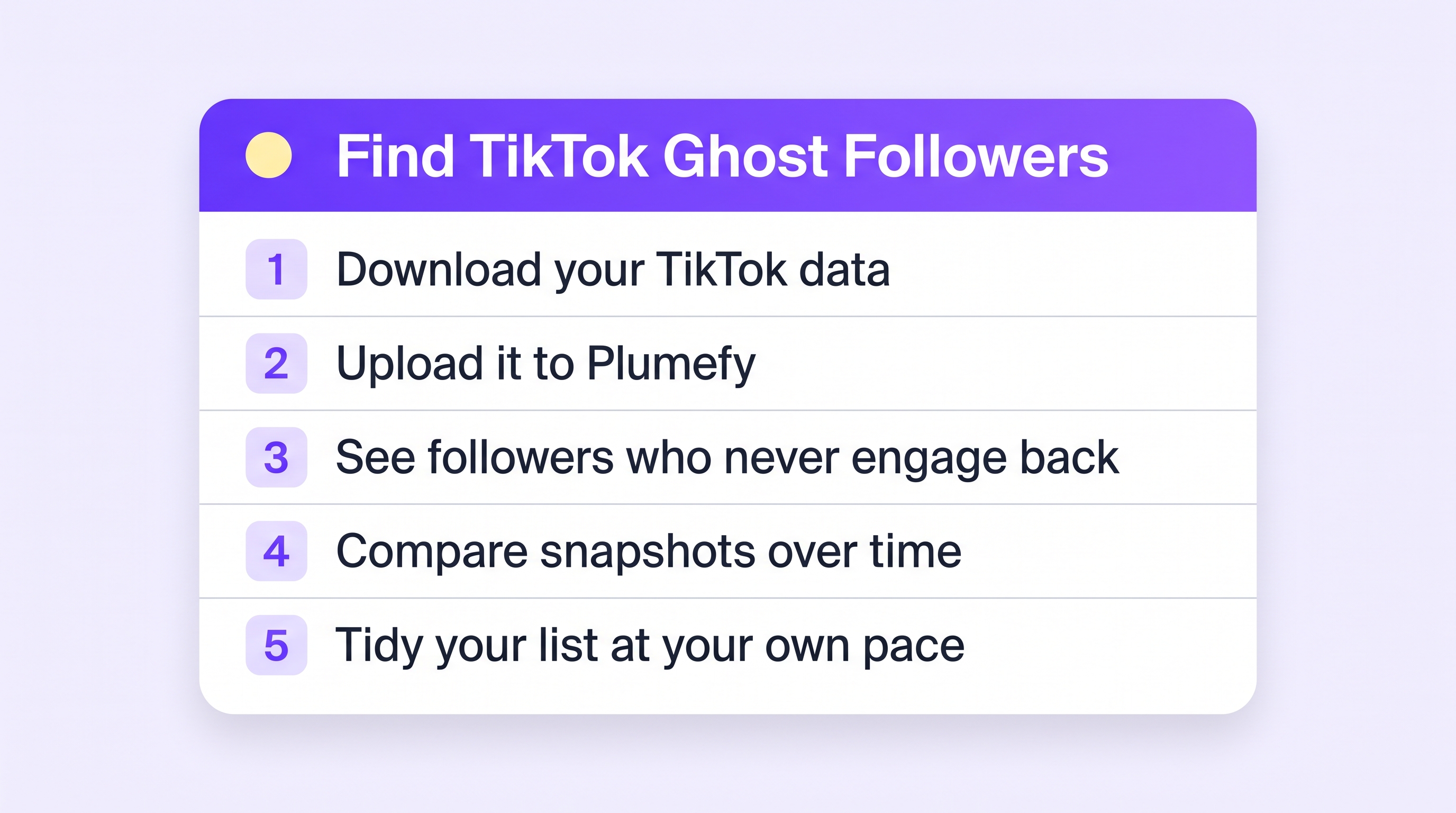
How to find ghost followers on TikTok, step by step
Step 1: Ask TikTok for your data
- Open TikTok and tap Profile.
- Tap the menu, then Settings and privacy.
- Tap Account, then Download your data.
- Include your Activity data and pick JSON or TXT. (Full guide with pictures.)
Step 2: Wait for your file
TikTok will prepare your file. This can take a few hours or a couple of days. When it is ready, download the .zip file from the Download data tab.
Step 3: Upload your file to Plumefy
Open Plumefy, go to the Unfollower tracker, choose TikTok, and upload the ZIP. Plumefy reads your follower and following lists and shows you, in seconds, who does not follow you back and how your list changes between uploads.
Step 4: Spot the ghosts
Now cross-check the quiet ones. Open a few profiles from your follower list and look for the signs of a ghost:
- No profile photo and no posts.
- A username that is mostly numbers.
- Following thousands of accounts, with almost no followers.
- No activity anywhere — no likes, no comments, ever.
Accounts like that are not watching your videos. They are just padding the number.
Step 5: Decide who stays and who goes
You do not have to remove anyone. This is your choice. Some people like to:
- Keep quiet friends — busy is not the same as fake.
- Remove obvious bots and spam accounts (you can remove a follower from your follower list).
- Focus forward: more good videos bring more real fans, which shrinks the ghost share on its own.
A few friendly tips
- Check once a month, not every day. Trends matter more than any single day.
- Do not chase a perfect ratio. Every account has some quiet followers. That is normal.
- Skip follow-for-follow trains. They are ghost factories.
- Make good videos. The best ghost repellent is content real people want to watch.
Plumefy can help here too. Besides tracking your followers, it lets you schedule your posts and share them across many platforms at once. So you spend less time posting and more time creating.
Frequently asked questions
Is it safe to find ghost followers this way?
Yes. You use your own data download from TikTok, and you never share your password. This is one of the safest ways to study your follower list.
Will TikTok ban me for using Plumefy?
No. Plumefy does not log into your account or break any rules. You simply upload a file that TikTok itself gave you.
Can I remove a ghost follower on TikTok?
Yes. Open your follower list, tap the account, and choose to remove them as a follower. They are not told about it.
Do ghost followers hurt my reach?
They can. TikTok watches how the people who see your video respond. A wall of silent followers waters down that signal.
Finding ghost followers does not have to be scary or confusing. With your own data and a friendly tool, you can see your real audience in minutes.
Post everywhere, once.
Start on the free plan — no card needed, upgrade when you need scheduling.
Start free