How to See Who Doesn't Follow You Back on Instagram
Want to know who doesn't follow you back on Instagram? Use your own Instagram data download plus Plumefy to find non-followers safely, with no password needed.
Ever wonder who doesn't follow you back on Instagram? Maybe you followed a friend, a creator, or a brand, and they never followed you back. That is totally normal. Still, it is nice to know who is who. The good news: you can find out in a safe way, using only your own data. No password sharing. No sneaky apps. Just you and a few clicks.
In this guide, I will show you exactly how to do it. I will keep it simple. If you can send a text message, you can do this.
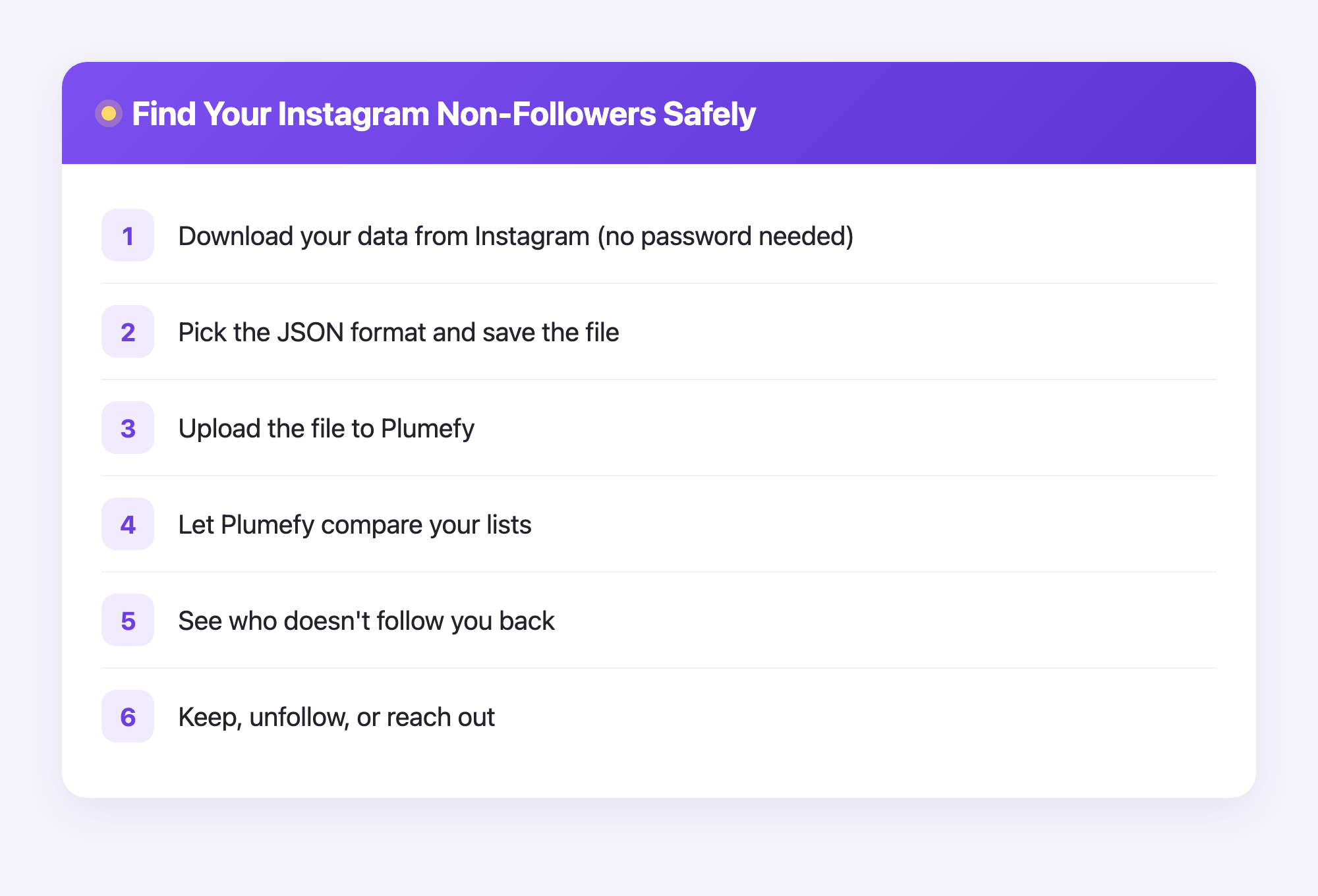
Why this is safe (and why some apps are not)
You may have seen apps that ask you to "log in with Instagram" to check your followers. Please be careful with those. When you give an app your password, you hand over the keys to your whole account. That can get your account banned or even stolen.
There is a much safer way. Instagram lets you download your own data. That file lists everyone you follow and everyone who follows you. You never share a password. You stay in control the whole time.
The safest tools never ask for your Instagram password. They only read the file you already own.
Step 1: Ask Instagram for your data
First, get your follower data from Instagram itself. Here is how:
- Open the Instagram app or go to the website.
- Go to your Settings.
- Tap Accounts Center, then Your information and permissions.
- Tap Download your information.
- Pick your account, then choose the Followers and following info.
- Choose the JSON format (this is the kind the tool can read).
- Send the request.
Instagram will get your file ready. This can take a few minutes to a day. They will email you a link when it is done. Download that file and save it somewhere easy to find, like your Downloads folder.
Step 2: Find out who doesn't follow you back on Instagram
Now for the fun part. You have a file full of names, but reading it by hand would take forever. This is where Plumefy helps. You upload the file you got from Instagram, and Plumefy does the matching for you.
Here is what happens:
- Open Plumefy and go to the Instagram tool.
- Upload the data file you downloaded (it is usually a followers_and_following folder or a zip file).
- Click to compare your lists.
- Plumefy shows you a clean list of people who do not follow you back.
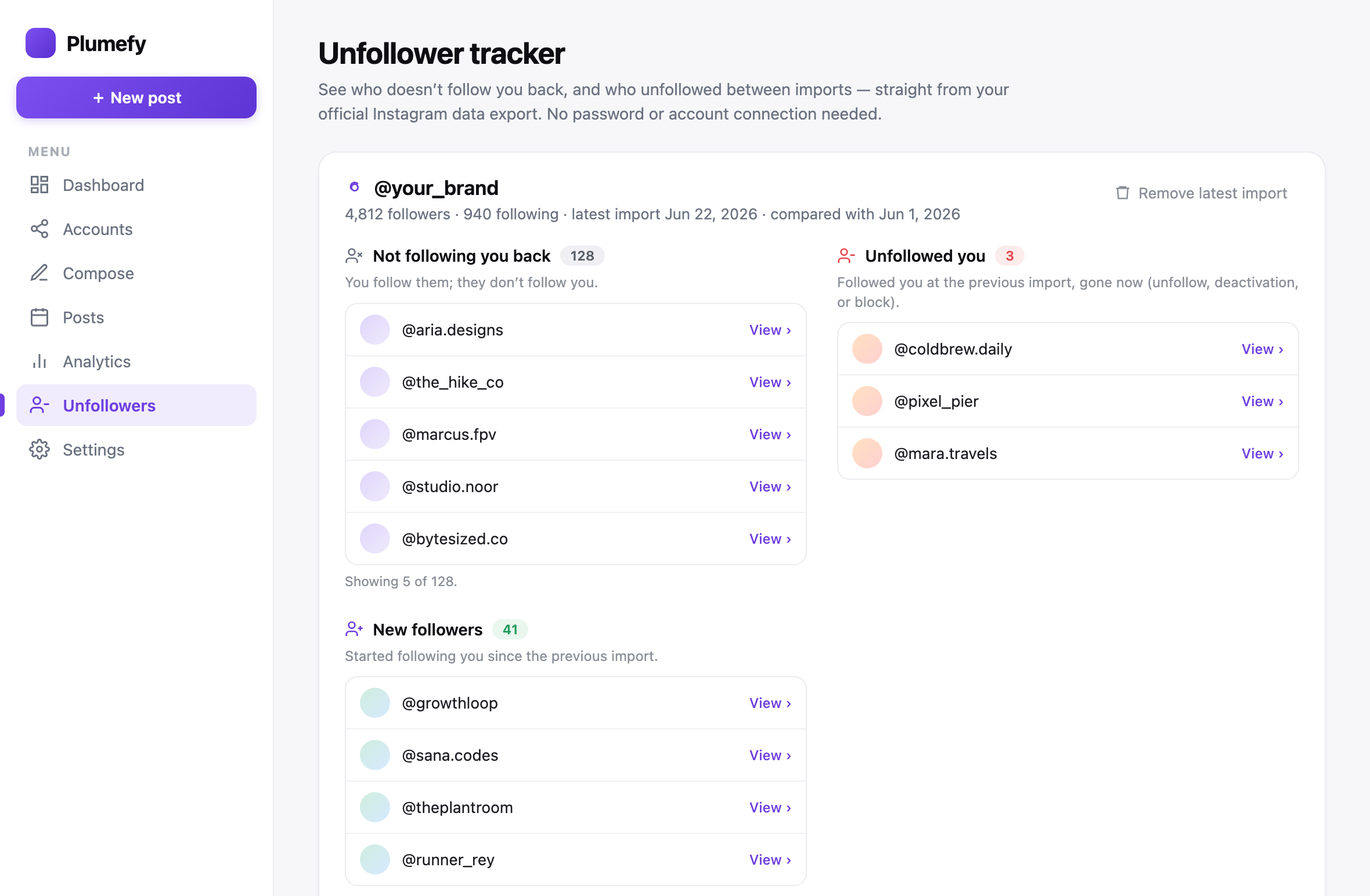
That is it. No password. No logging into Instagram through Plumefy. The tool only reads the file you already own. You see clear results in seconds instead of scrolling for hours.
Step 3: Decide what to do next
Now you have your list. Take a breath. Not everyone needs to follow you back, and that is okay. Big creators and brands often do not follow many people. That is normal.
Here are some calm ways to use your list:
- Keep the accounts you love, even if they do not follow back. A favorite artist is worth following.
- Unfollow old accounts you no longer care about, to tidy up your feed.
- Reach out to a friend who maybe just forgot to follow you back. A friendly message works wonders.
You are in charge. The list is just helpful information, not a rule.
A quick tip for growing creators
Post on more than one app, like Instagram, TikTok, and others? Plumefy can also schedule and cross-post your content to all of them at once. So you can check your followers and plan your posts in the same place. That saves a lot of time when you are trying to grow.
Frequently asked questions
Do I need to give Plumefy my Instagram password?
No. Never. Plumefy only reads the data file that you download from Instagram yourself. Your password stays private and safe.
Will Instagram know I checked?
No. You are only looking at your own downloaded file. Instagram does not get any signal, and no one is told that you peeked.
How long does the Instagram download take?
It depends on Instagram. Sometimes it is ready in a few minutes. Sometimes it takes up to a day. They will email you when your file is ready.
Can someone see that I unfollowed them?
Instagram does not send an unfollow alert. But a person could notice on their own if they check their follower list. Unfollow gently if you want to keep the peace.
Is this allowed by Instagram?
Yes. Downloading your own data is a feature Instagram offers to everyone. You are simply using your own information, which is the safe and proper way.
What file format should I pick?
Choose JSON when Instagram asks. That is the format the tool reads best, so your results come out clean and correct.
Finding out who doesn't follow you back on Instagram does not have to be scary or risky. Use your own data, keep your password to yourself, and let a safe tool do the boring matching for you. You stay in control the whole way.
Post everywhere, once.
Start your 7-day free trial — nothing charged today, cancel anytime.
Start free