Why Am I Losing Followers on Instagram?
Why am I losing followers on Instagram? Learn the real reasons people unfollow, how to spot who left using your own data safely, and simple ways to win them back.
You posted a great photo. You felt good about it. Then you checked your follower count and it had dropped. Ouch. If you keep asking yourself "why am I losing followers on Instagram," take a breath. You are not alone, and it is not the end of the world. Losing a few followers is normal, and there is almost always a simple reason behind it.
In this guide, we will go through the real reasons people unfollow. Then we will show you a calm, no-stress way to find out who left, using only your own data. No passwords. No tricks. Just facts that help you grow.
The Real Reasons Why You Are Losing Followers on Instagram
Before you panic, remember this: most follower drops are small and completely normal. Here are the most common reasons.
- Spam and bot accounts get deleted. Instagram removes fake accounts all the time. If some of your "followers" were bots, they disappear. This is good news. It means your real audience is healthier than the number looked.
- People clean up their feed. Sometimes a person unfollows lots of accounts in one sitting. It is not personal. They are just tidying up.
- You changed what you post. Maybe you shared food photos for a year, then switched to fitness. Some old fans may not be into the new topic.
- You posted too much, or too little. Posting ten times a day can feel like spam. Posting once a month can make people forget you.
- The vibe felt off. A post that came across as salesy, angry, or random can make people leave.
Losing followers is feedback, not failure. It tells you what your audience likes and what they do not.
Should You Even Worry About It?
Honestly, usually not. Losing a few followers a week is nothing. What matters more is your engagement: the likes, comments, saves, and shares you get from real people.
A small account where everyone loves your posts beats a huge account where nobody cares. So focus on the people who stay, not the ones who go.
That said, it is still smart to know who unfollowed you. Then you can spot a pattern. Did a big group leave after one post? That is useful to know.
How to Find Out Who Unfollowed You (the Safe Way)
Here is the part most people get wrong. They download a sketchy app and type in their Instagram password. Please do not do that. Those apps can get your account banned or stolen.
There is a much safer way. Instagram lets you download your own data. Then a tool can read that file and show you who unfollowed you. No password needed.
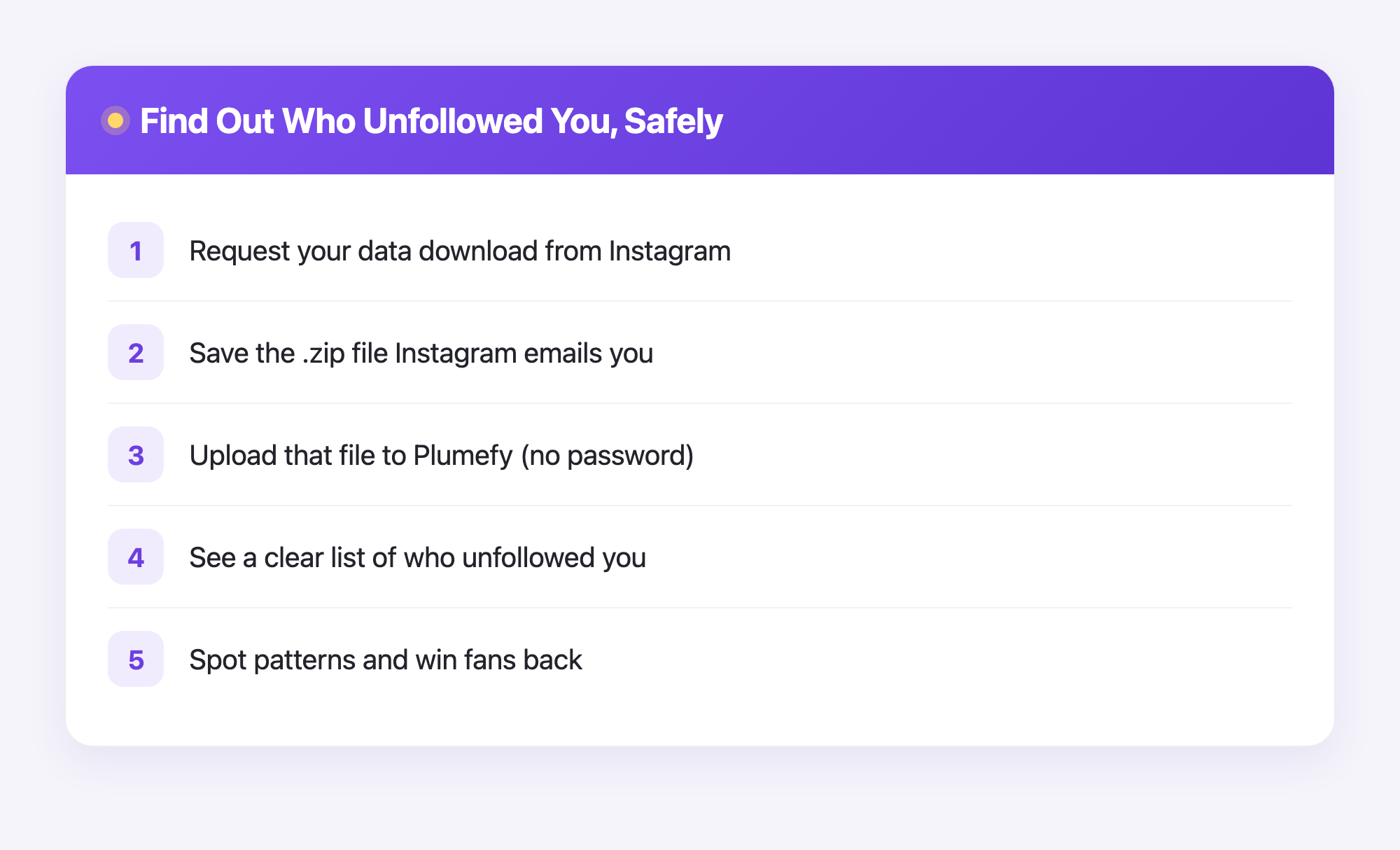
Here is how to do it, step by step.
- Ask Instagram for your data. Open Instagram, go to your settings, and find "Download your information." Choose the followers and following info.
- Wait for the email. Instagram sends you a file, usually a .zip file, after a short wait. Save it to your phone or computer.
- Upload that file to Plumefy. This is where it gets easy. You hand Plumefy your own data file, and it does the work for you.
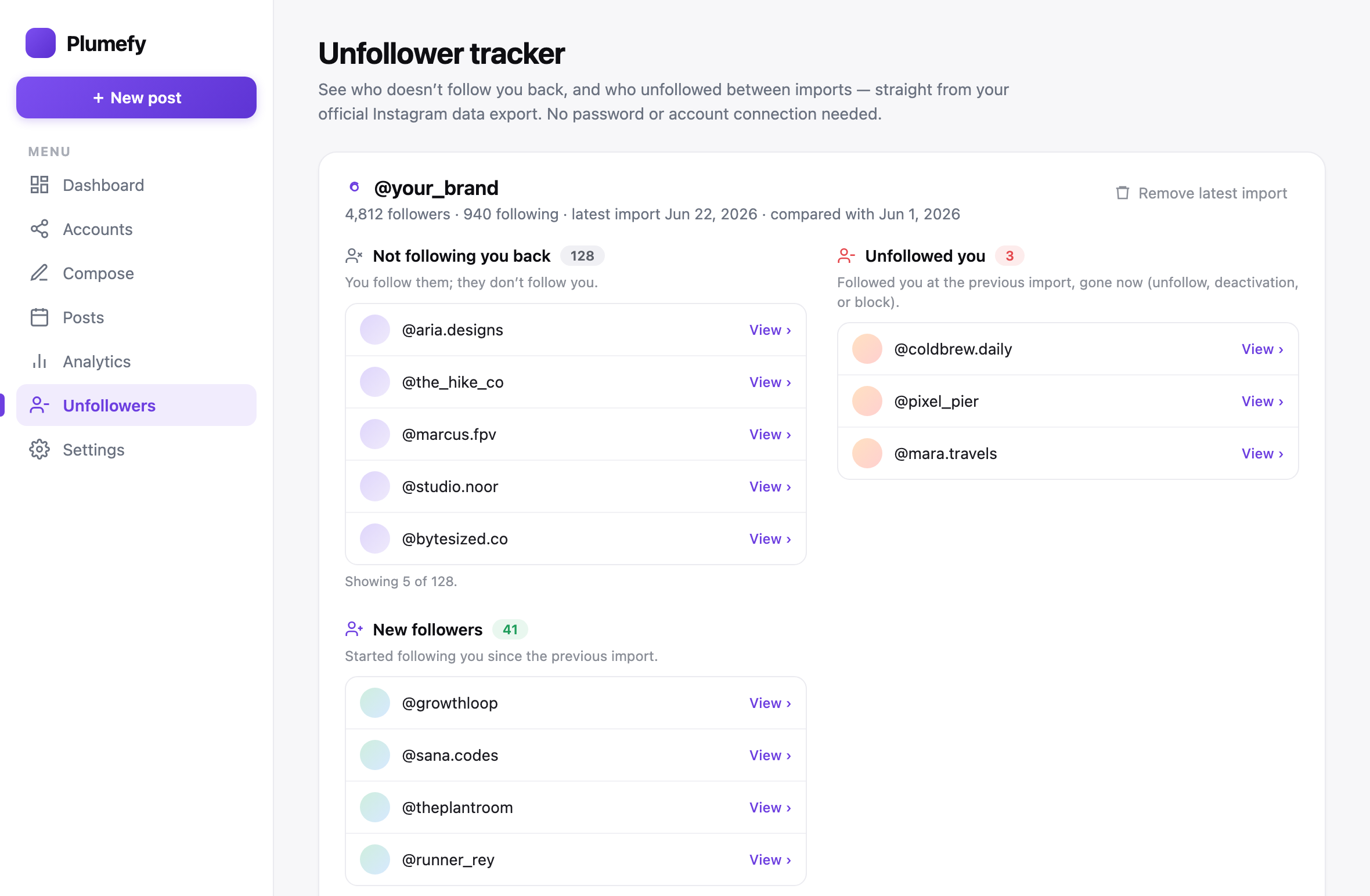
- Read your results. Plumefy shows you a clear list of the accounts that stopped following you. No guessing. No password. Just your own numbers, made simple.
Because you only upload a file you got from Instagram, your login stays private and safe. That is the whole point.
Simple Ways to Keep the Followers You Have
Now for the fun part. Here is how to keep more of your audience happy.
- Post on a steady schedule. People like to know when to expect you. Pick a rhythm you can keep, like three times a week.
- Reply to comments. When someone talks to you, talk back. It builds real connection.
- Stay true to your topic. If people followed you for art, keep showing art. Big surprise changes can scare fans away.
- Share more, sell less. Help, teach, or make people smile most of the time. Save the sales pitch for now and then.
- Show up where your people are. If your fans use other apps too, post there as well.
That last tip is where Plumefy really shines. You can write one post and send it to many platforms at once. That saves you hours, and it keeps your followers happy across every app they use.
Frequently Asked Questions
Why am I losing followers on Instagram even when I post good content?
Often it is bot removal or normal feed cleanups, not your content. Check your data to see if real people are leaving or if it is just spam accounts disappearing.
Does Plumefy need my Instagram password?
No. You download your own data from Instagram and upload that file to Plumefy. Your password stays with you and only you.
Is it bad to lose a few followers each week?
Not at all. Small drops are normal for every account. Focus on engagement from your real fans instead of the total number.
How often should I check who unfollowed me?
Once a week or once a month is plenty. Checking every hour will only stress you out, and it will not help you grow.
Can I get unfollowers back?
Sometimes. If people left after a topic change, going back to what they loved may bring them back. Friendly replies and steady posting help too.
Will reposting to other apps really help?
Yes. Many of your fans use more than one app. Sharing your work in more places gives people more chances to find and follow you.
Losing followers can feel scary, but now you know it is usually normal and easy to understand. Use your own data to learn, keep your real fans happy, and share your posts everywhere your people hang out. You have got this. Try Plumefy free →
Post everywhere, once.
Start your 7-day free trial — nothing charged today, cancel anytime.
Start free