How to Find Ghost Followers on Instagram (Free)
Learn how to find ghost followers on Instagram with your own data download. No password needed. A safe, simple, step-by-step guide made for total beginners.
Do you have ghost followers on Instagram? A ghost follower is an account that follows you but never likes, comments, or even looks at your posts. Some are old friends. Some are spam accounts. Either way, they make your follower count look bigger than your real audience.
In this guide, you will learn a safe and simple way to find them. You do not need to share your password. You do not need any risky apps.
The trick is to use your own data. Instagram lets you download a copy of everything on your account. That copy includes the people you follow and the people who follow you. Compare the two lists, and you can see who does not follow you back. Those are often your ghost followers.
What is a ghost follower, really?
Let's keep it simple. Imagine you wave at 100 people. Only 10 wave back. The other 90 are still there, but they are not really paying attention. On Instagram, those quiet accounts are your ghost followers.
Ghost followers are not always bad. A friend might just be busy. But too many ghosts can hurt you:
- Your posts may reach fewer people, because Instagram sees low interest.
- Your follower number looks high, but your likes look low.
- Brands and sponsors notice this. They want real fans, not ghosts.
Clearing out ghost followers can make your account feel healthier and more honest.
Why you should never share your password
You may see apps that say, "Log in and we will find your ghost followers!" Please be careful. When you give an app your Instagram password, you give it the keys to your whole account. That app could post things, send messages, or even lock you out. Instagram can also ban accounts that use these risky tools.
The safe way is to use your own data download. No password. No logging into Instagram through a stranger's app. You stay in full control.
This is exactly how Plumefy works. You download your data from Instagram yourself, then you upload that file to Plumefy. Plumefy never asks for your password.
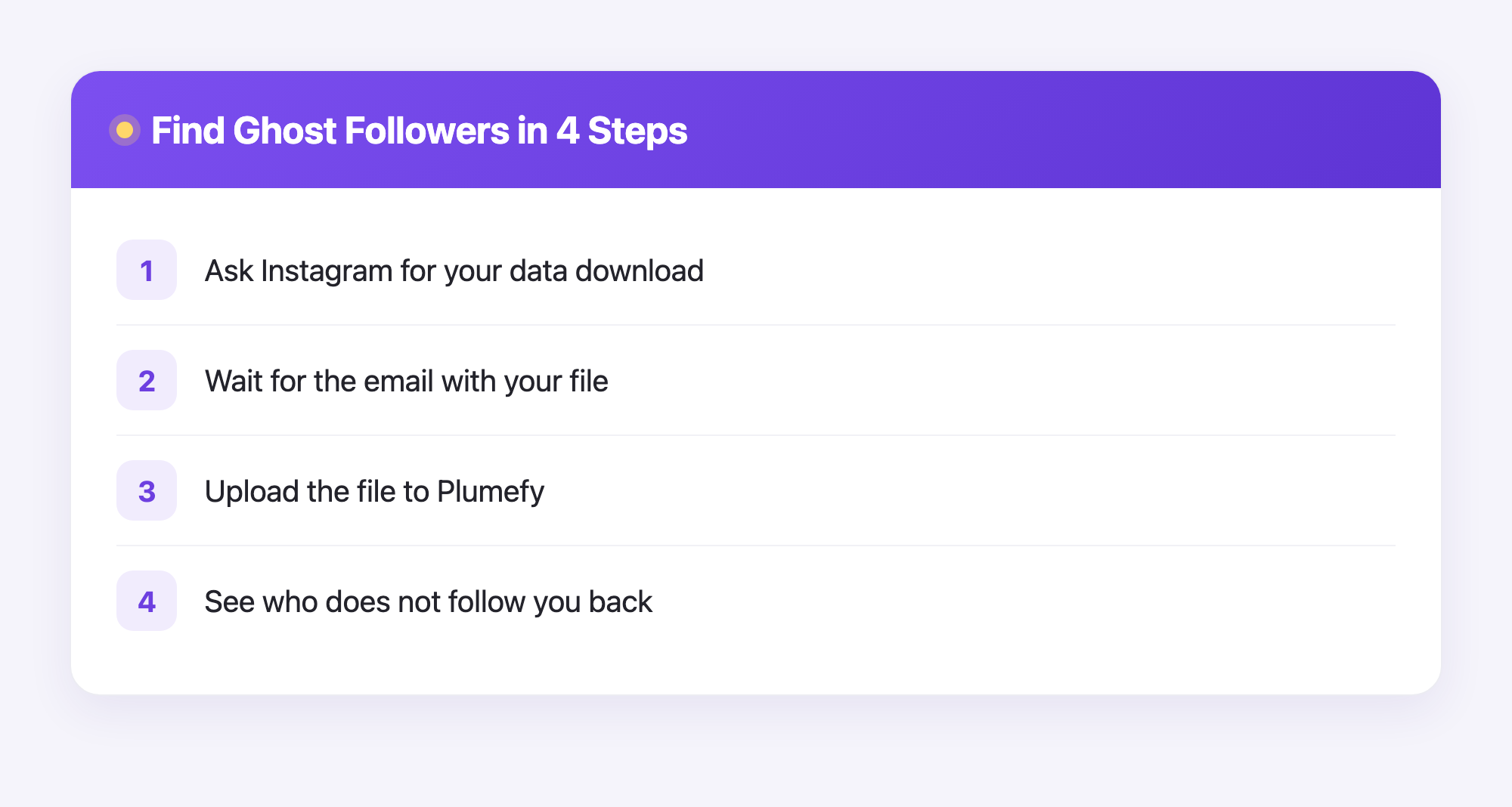
How to find ghost followers on Instagram, step by step
Here is the full process. Take it slowly. There is no rush.
Step 1: Ask Instagram for your data
- Open Instagram and go to your profile.
- Tap the menu, then find Your activity or Accounts Center.
- Look for Download your information.
- Choose your account and request your information. Pick the JSON format if it asks. JSON is just a plain text file that tools can read.
Step 2: Wait for your file
Instagram will email you when your file is ready. This can take a few minutes or a few hours, so be patient. When the email arrives, download the file. It usually comes as a .zip file. A zip file is just a folder that has been squeezed small.
Step 3: Upload your file to Plumefy
Now the easy part. Open Plumefy and go to the followers tool. Upload the file you got from Instagram. In most cases, you do not even need to unzip it yourself. Plumefy reads your two lists, the people you follow and the people who follow you, and compares them for you.
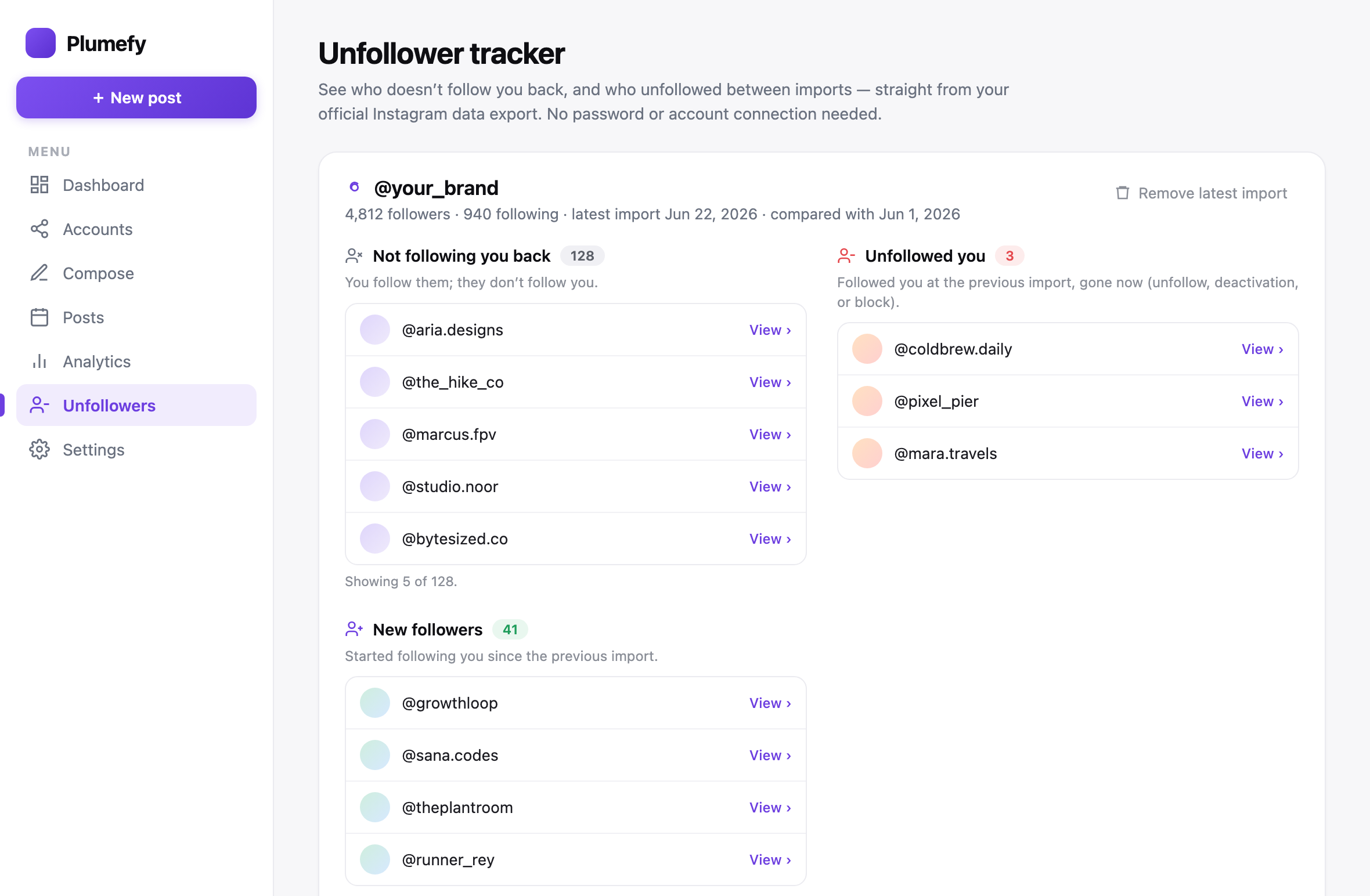
In a few seconds, Plumefy shows you a clear list of accounts that do not follow you back. This is your ghost follower list. Scroll through it and decide what to do.
Step 4: Decide who stays and who goes
You do not have to remove anyone. This is your choice. Some people like to:
- Keep close friends, even if they are quiet.
- Unfollow spam or fake accounts.
- Remove old accounts that never post anymore.
Go at your own pace. Even clearing out ten ghost accounts can make your feed feel fresher.
A few friendly tips
- Do it now and then, not every day. Once a month is plenty.
- Do not chase a perfect number. A few quiet followers is normal and fine.
- Watch out for "follow back" games. They often bring more ghosts, not real fans.
- Make good posts. The best way to beat ghost followers is to give real people a reason to stay.
Plumefy can help here too. Besides finding ghost followers, it lets you schedule your posts and share them across many social platforms at once. So you spend less time posting and more time creating.
Frequently asked questions
Is it safe to find ghost followers this way?
Yes. You use your own data download from Instagram, and you never share your password. This is one of the safest ways to check who does not follow you back.
Will Instagram ban me for using Plumefy?
No. Plumefy does not log into your account or break any rules. You simply upload a file that Instagram itself gave you.
How long does the data download take?
It depends on how big your account is. Some people get the file in minutes. Others wait a few hours. Instagram will email you when it is ready.
Do I have to remove my ghost followers?
Not at all. Plumefy only shows you the list. You stay in charge and decide who to keep and who to unfollow.
Does this cost money?
You can start finding ghost followers on Instagram with the free plan. You can try Plumefy without paying anything.
Finding ghost followers does not have to be scary or confusing. With your own data and a friendly tool, you can see your real audience in minutes. Ready to meet your true fans?
Post everywhere, once.
Start your 7-day free trial — nothing charged today, cancel anytime.
Start free