How to See Who Unfollowed You on Instagram (Free, No Password)
See exactly who unfollowed you on Instagram and who doesn't follow you back — free, no password, no risky apps. A simple, step-by-step guide using your own data.
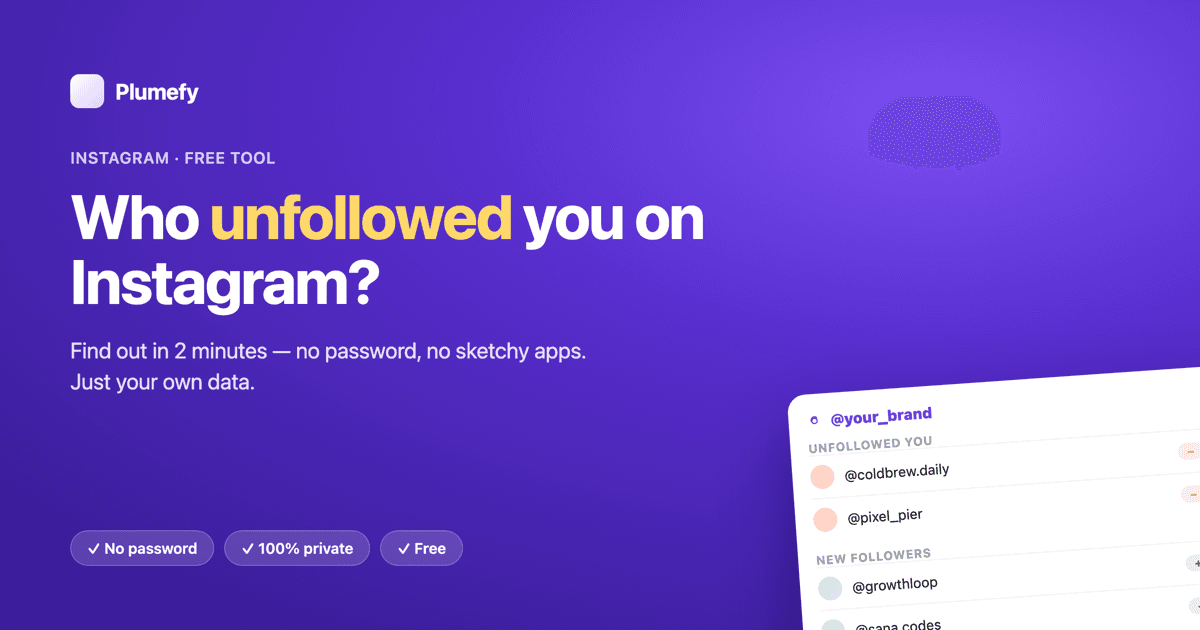
Ever get the feeling someone quietly unfollowed you on Instagram? You're not imagining it. People unfollow all the time — and Instagram will never tell you who.
The good news: you can find out yourself in about two minutes, for free, without typing your password into some random app. This guide shows you exactly how, step by step, in the simplest way possible.
The short version
There are two things most people want to know:
- Who doesn't follow me back? (You follow them; they don't follow you.)
- Who unfollowed me? (They used to follow you — now they're gone.)
You can see both using your own Instagram data plus a free tool called Plumefy. Here's the whole plan:
- Step 1: Ask Instagram for a copy of your followers list (a few taps).
- Step 2: Upload that file to Plumefy.
- Step 3: Plumefy instantly shows you who doesn't follow back, who unfollowed you, and who's new.
That's it. Let's do it together.
First, a quick warning about "unfollower" apps
Type "who unfollowed me" into your app store and you'll find hundreds of apps. Most of them ask for your Instagram password. Don't do it.
When you hand over your password, you're giving a stranger full control of your account. These apps are famous for getting accounts banned, stealing logins, and spamming your followers. Instagram doesn't allow them, which is why they keep breaking or disappearing.
The safe way never needs your password. It only uses the data Instagram already lets you download about yourself.
That's the method below.
What you'll need
- Your Instagram account (app or website).
- About 2 minutes.
- A free Plumefy account.
No password sharing. No browser extensions. No risk to your account.
Step 1 — Download your followers list from Instagram
Instagram lets you download a copy of your own data, including your followers and following lists. This is 100% official and built right into the app.
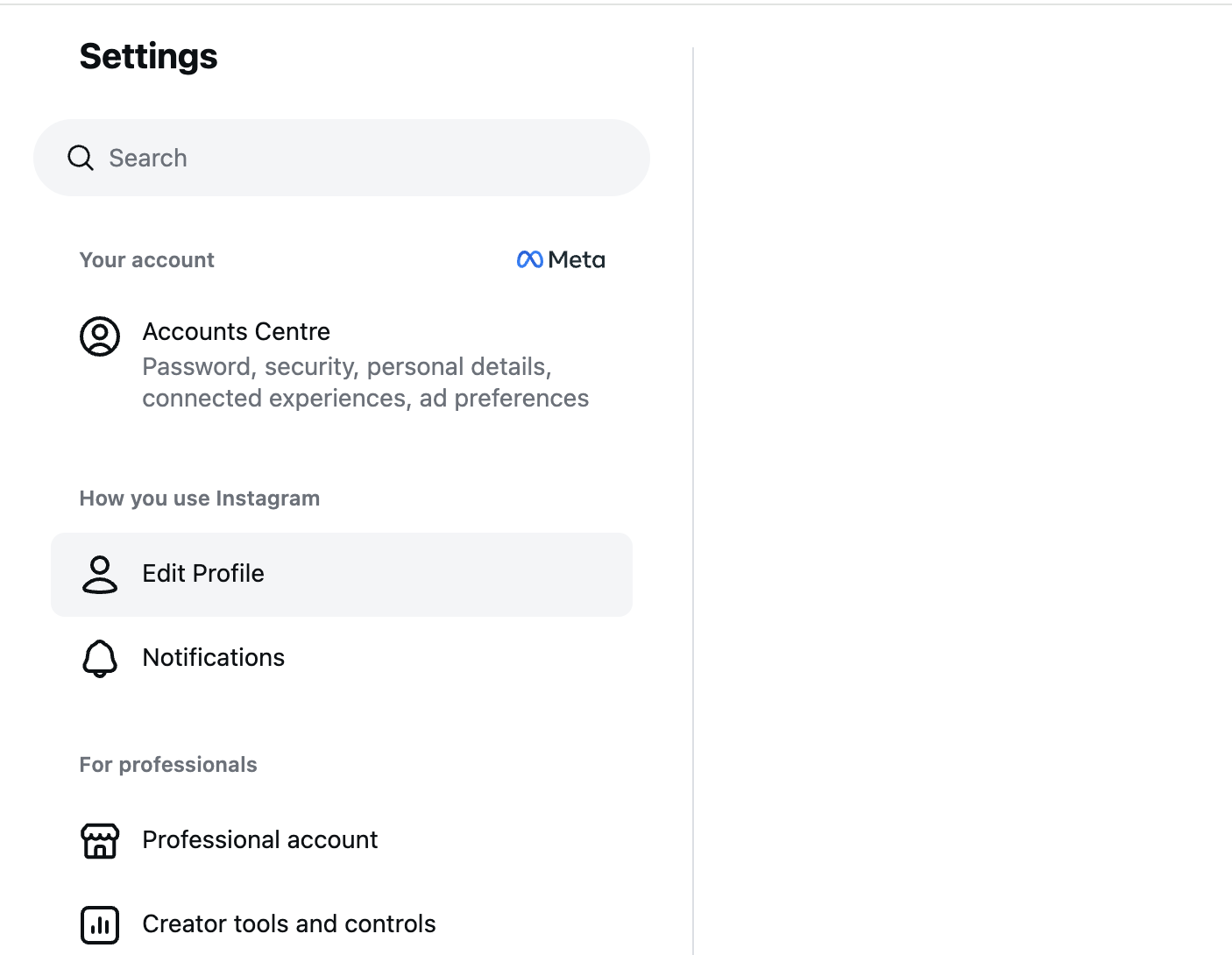
1a. Open Settings and go to "Accounts Centre."
Open Instagram, go to your profile, tap the menu, then Settings. Near the top you'll see Accounts Centre (run by Meta). Tap it.
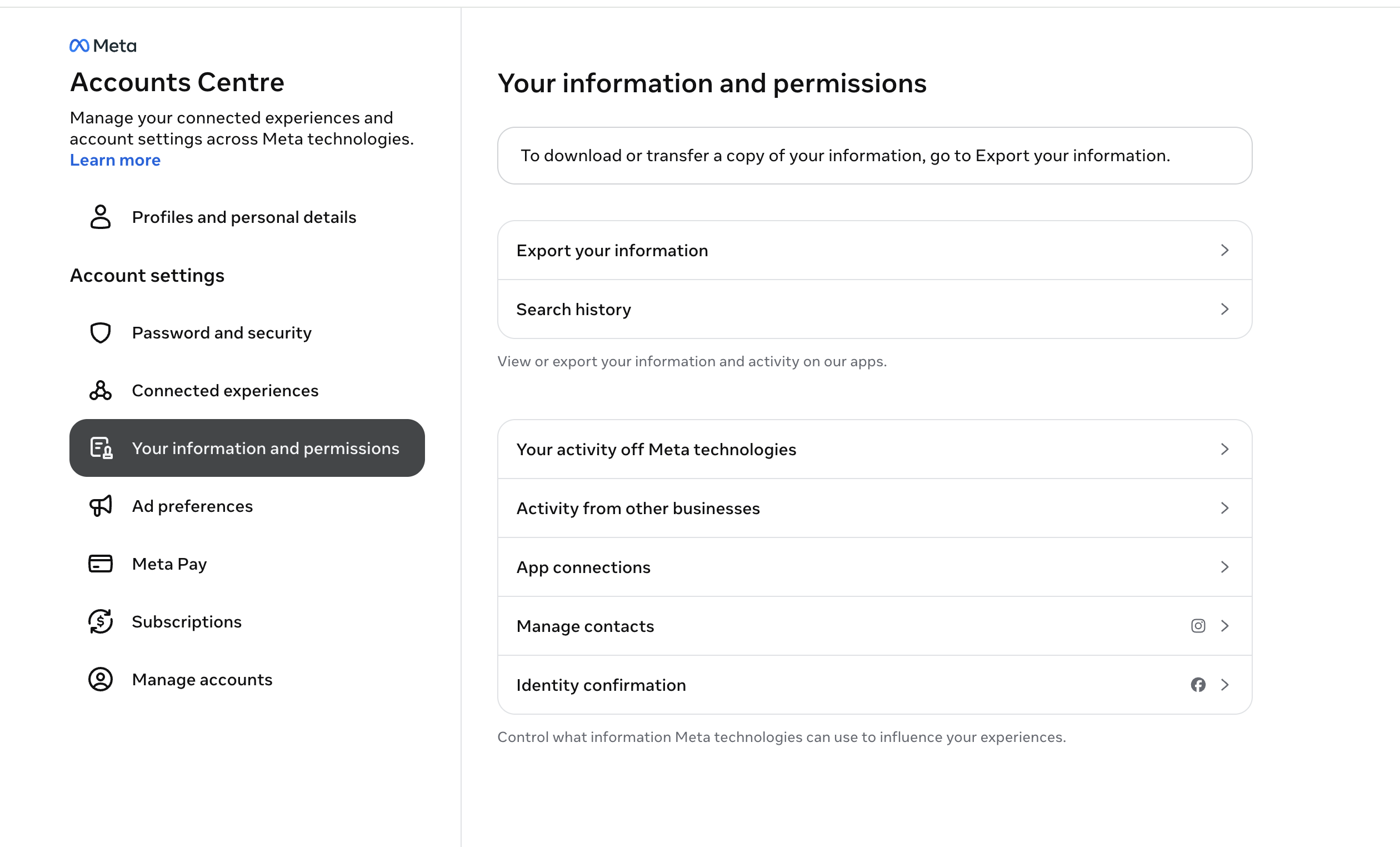
1b. Open "Your information and permissions," then "Export your information."
Inside Accounts Centre, tap Your information and permissions, then Download your information or Export your information.
1c. Ask for only "Followers and following," as JSON.
This is the important part. After you tap Create export and pick your account, choose Some of your information. On the "Choose specific info to export" screen, leave everything under Your Instagram activity unchecked — you don't need any of it.
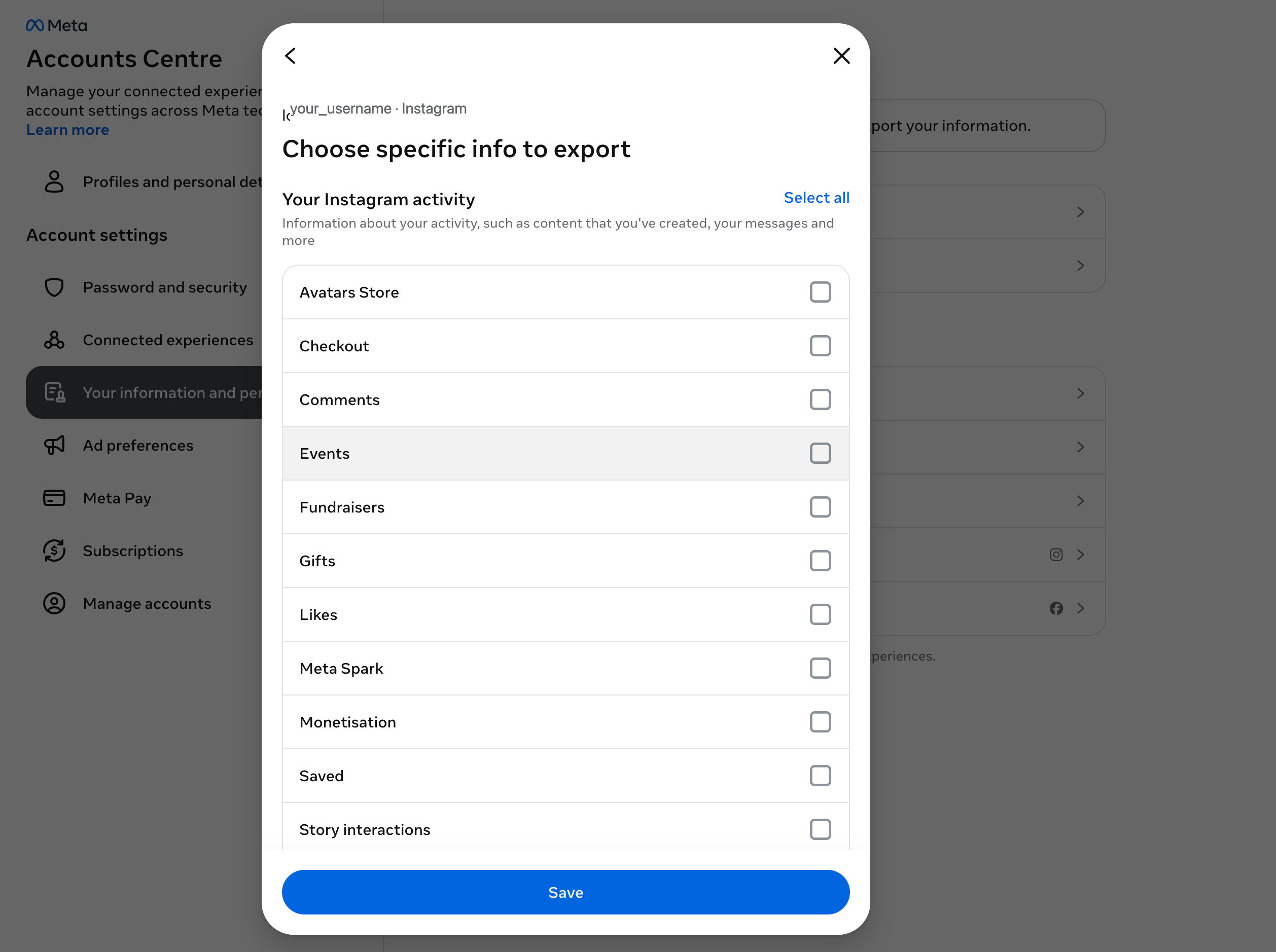
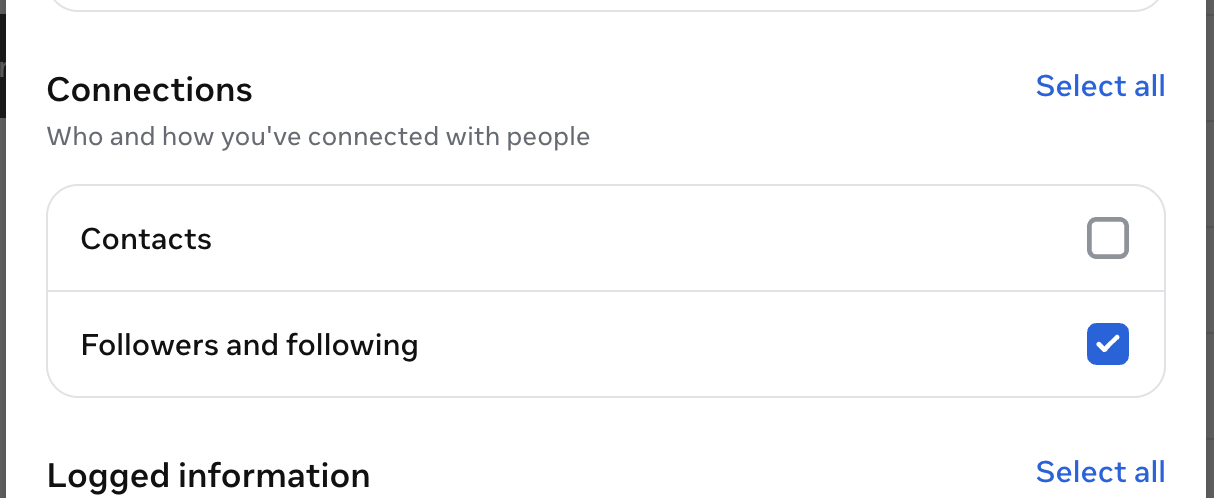
Scroll down to Connections and tick only the box for Followers and following (leave Contacts off). That is the one list that matters here.
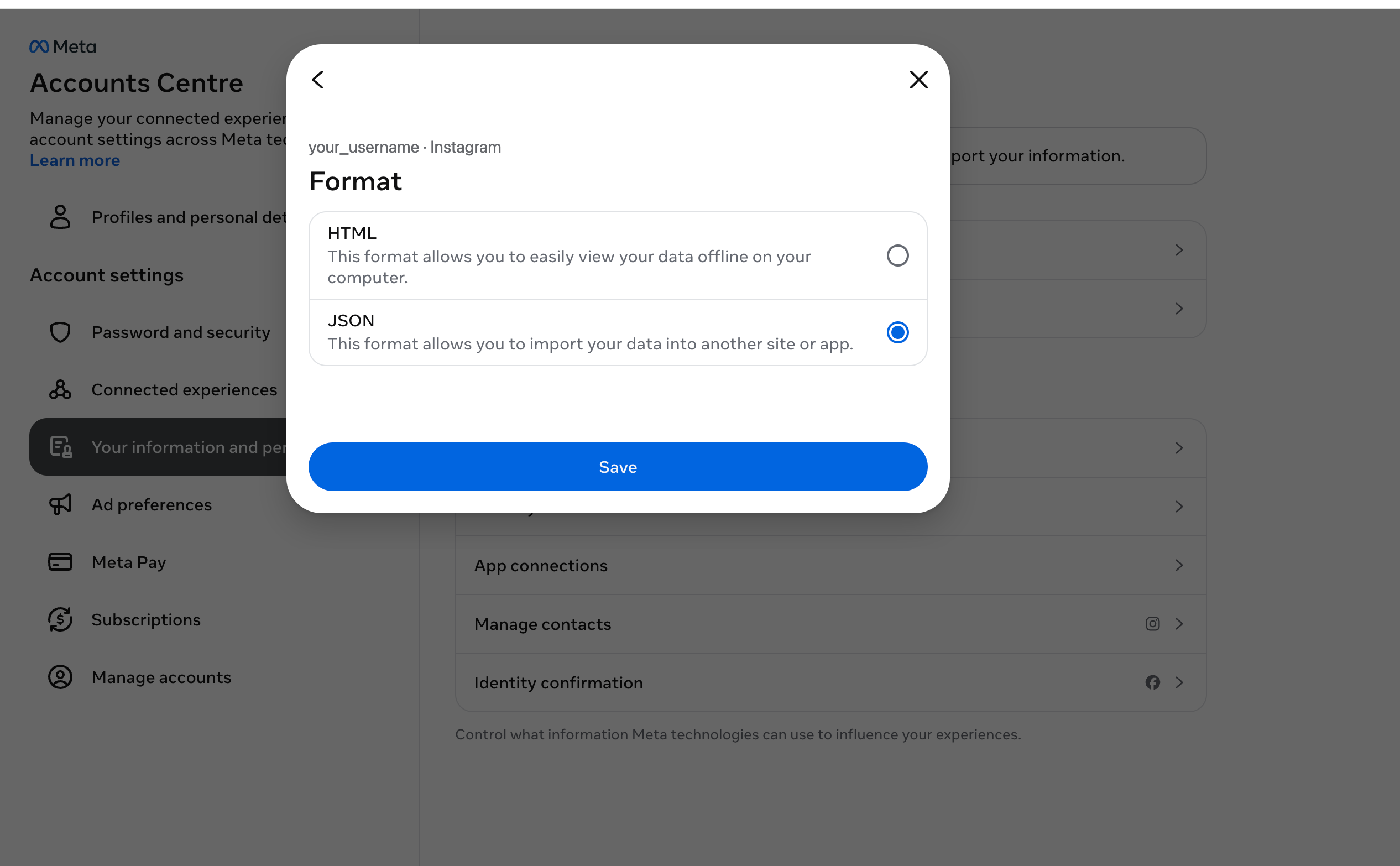
Next, set the Format to JSON, not HTML. JSON is the version Plumefy can read.
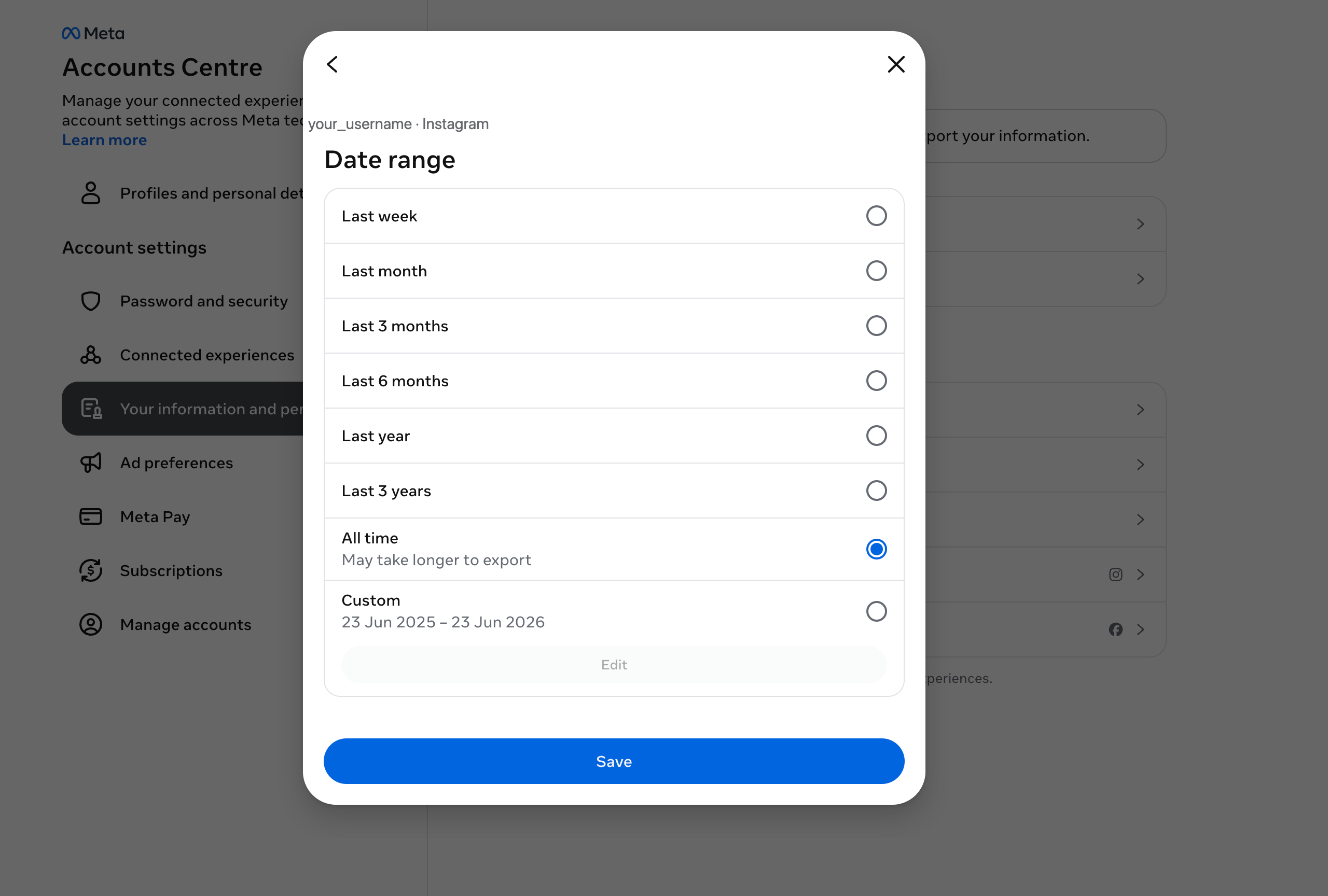
Then set the Date range to All time. This really matters: a shorter range like "Last week" only gives part of your list, which makes the unfollower comparison wrong.
Finally, choose Export to device and tap Create files.
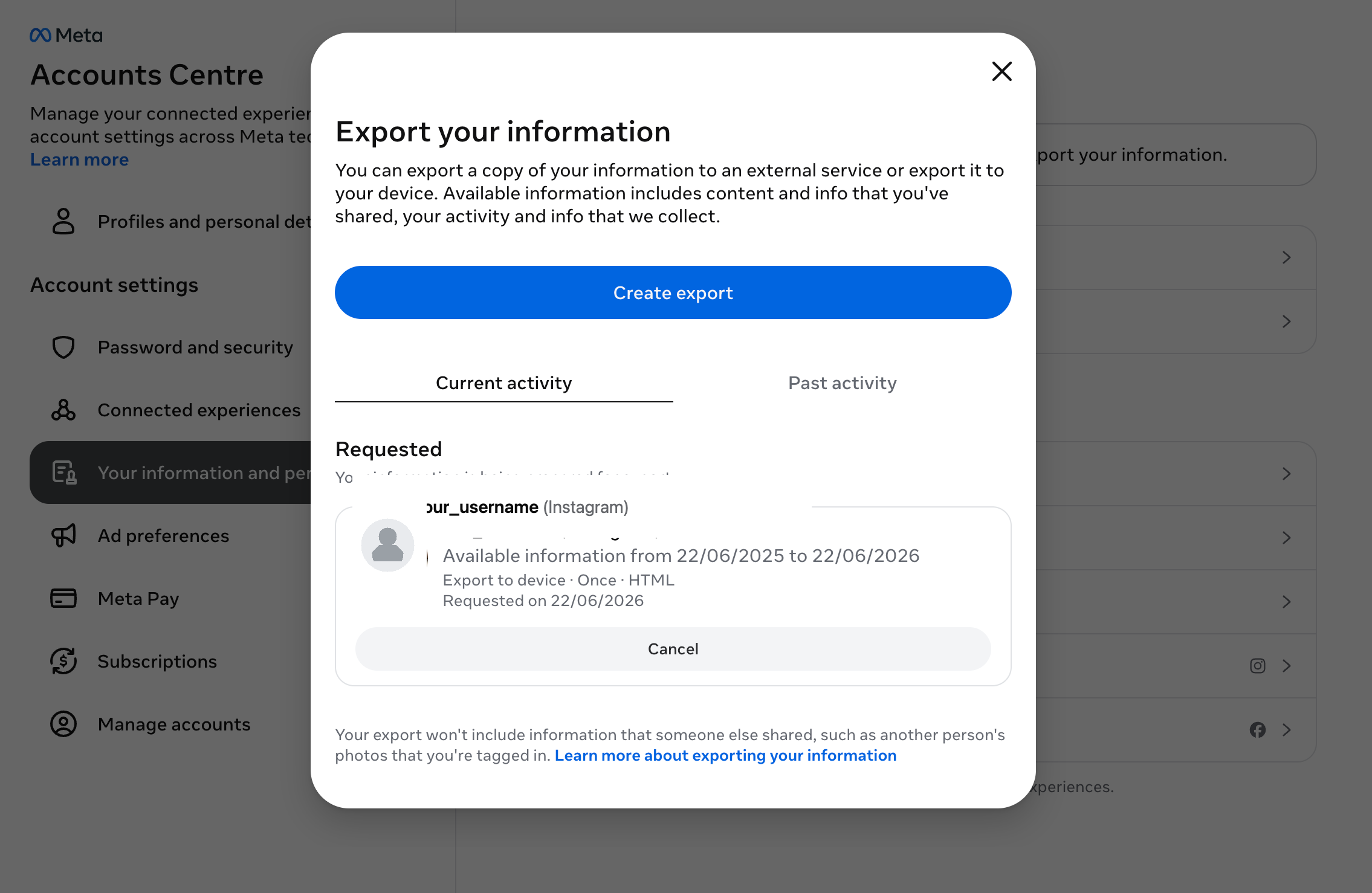
Instagram now prepares your file. It usually arrives by email — or shows up in the app — within a few minutes to a few hours. When it's ready, download the ZIP file to your phone or computer. You never had to share a password.
Tip: pick JSON, not HTML. JSON is the version Plumefy reads.
Step 2 — Upload the file to Plumefy
Now the easy part.
- Create a free account at Plumefy and open the Unfollowers page from the menu.
- Type your Instagram handle (like yourusername) in the box. This just labels your data so you can track more than one account.
- Click Choose Files and select the ZIP you downloaded (or the followers and following JSON files from inside it).
- Hit Import snapshot.
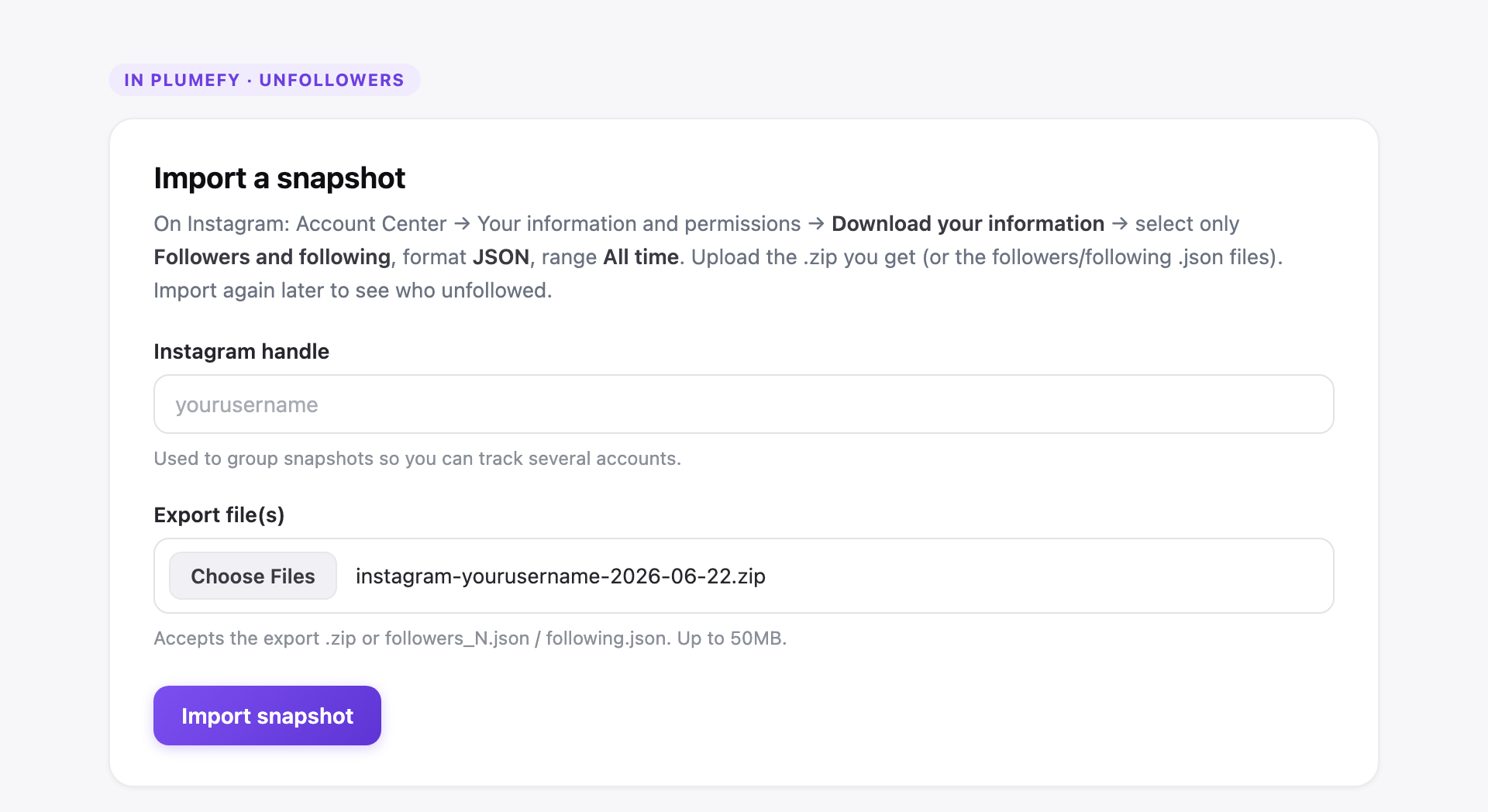
Plumefy reads the file for you — it never asks for your password and never logs into Instagram. It just counts your lists.
Step 3 — See who unfollowed you (and who never followed back)
The moment you import, Plumefy shows you three clear lists:
- Not following you back — people you follow who don't follow you. Great for a clean-up.
- Unfollowed you — people who used to follow you but are gone (more on this below).
- New followers — people who started following you.
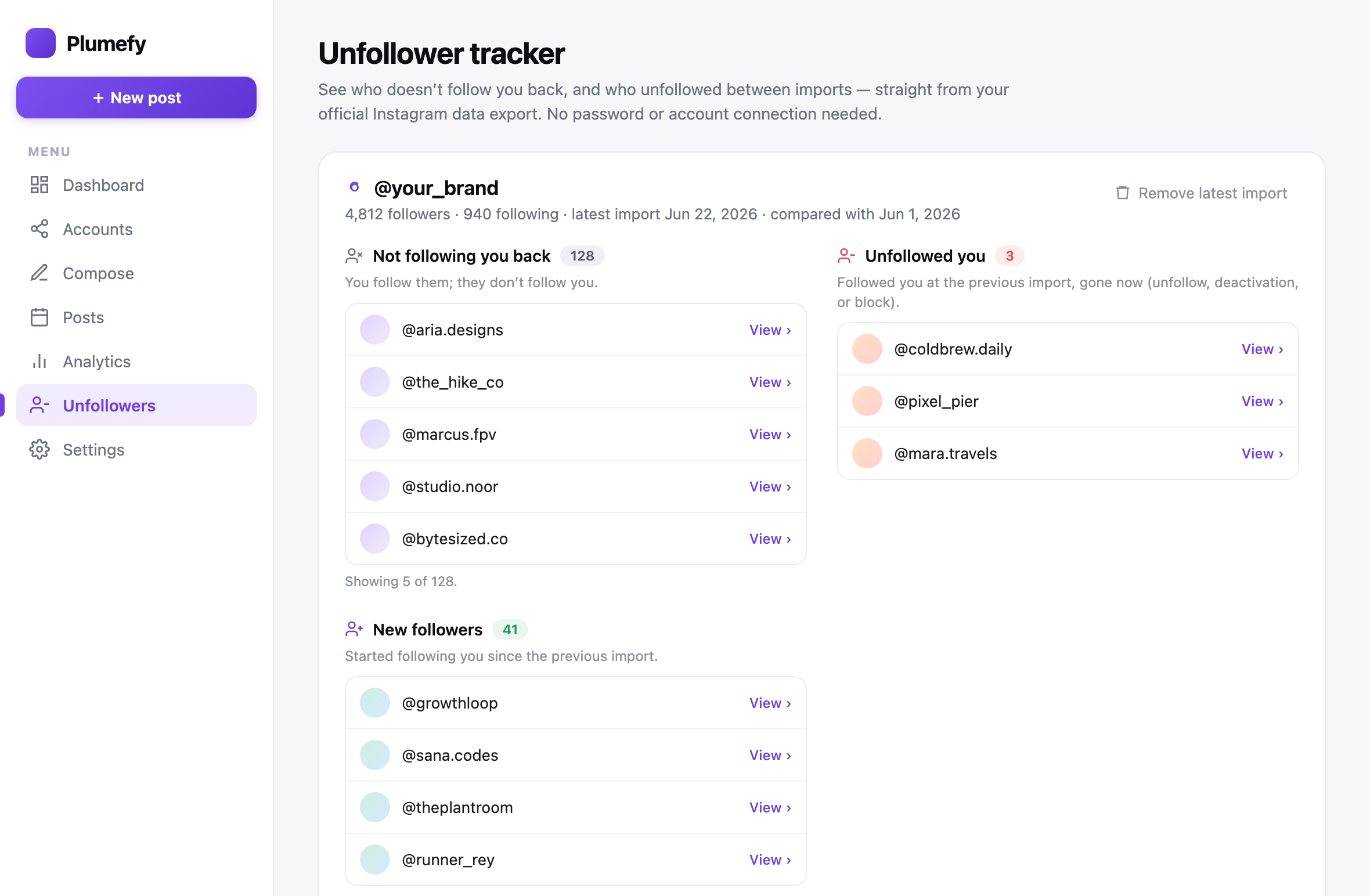
Every name links straight to their Instagram profile, so you can check who they are in one click.
How to actually catch unfollowers over time
Here's the one thing to understand: to see who unfollowed you, Plumefy needs to compare two snapshots taken on different days.
Think of it like a photo. One photo of your followers tells you who doesn't follow back right now. But to see who left, you need a "before" photo and an "after" photo.
So:
- Today: do Steps 1–2 to save your first snapshot.
- In a week or two: download a fresh copy from Instagram and import it again (use the same handle).
- Plumefy compares the two and shows you exactly who disappeared.
Repeat whenever you're curious. Each new import becomes the latest "after" photo.
A few honest notes
- "Unfollowed" isn't always an unfollow. A name in your "Unfollowed you" list might have unfollowed you — or deactivated their account, got banned, or changed their username. The tool can't tell the difference, so read it as "this person is no longer following you."
- Your data stays yours. You're only ever uploading a file about your own account. Nothing gets posted, and your password is never involved.
- It's free. No catch.
Frequently asked questions
Will the person know I checked if they unfollowed me?
No. This uses your private data download. There's no notification, no like, no trace. It's completely invisible to them.
Do I have to give Plumefy my Instagram password?
Never — that's the whole point. You download your own data from Instagram, then upload that file. Plumefy never touches your login.
Is it really free?
Yes. You can track who unfollowed you and who doesn't follow you back for free.
Why can't an app just show me unfollowers instantly?
Instagram doesn't hand your full follower list to apps automatically — which is actually a good privacy rule. The apps that "instantly" do it usually break that rule and put your account at risk. Using your official data export is the safe, allowed way.
How often can I check?
As often as you like. You can request a new download from Instagram anytime. Once a week or once a month is plenty for most people.
Can I track more than one account?
Yes. Just use a different handle label for each account when you import.
Get started
Finding out who unfollowed you shouldn't cost you your account's safety. Download your data, upload it to Plumefy, and see the full picture in minutes — no password, no guessing.
Post everywhere, once.
Start your 7-day free trial — nothing charged today, cancel anytime.
Start free