How to Tell if Someone Unfollowed You on Instagram
Want to know how to tell if someone unfollowed you on Instagram? Use your own data export. No password needed. A safe, simple step-by-step guide for beginners.
Did your follower count drop? Maybe a friend stopped showing up in your feed. You might be wondering how to tell if someone unfollowed you on Instagram. Good news: you can find out, and you do not need any tricks. You only need your own Instagram data. Let us walk through it together, nice and slow.
You will never share your password. You download your own data from Instagram, then upload it to a tool. That is all. Safe and simple.
Why Instagram does not just tell you
Instagram shows who you follow and who follows you. But it never sends a message when someone leaves. So a person can quietly unfollow you, and you may never notice. That feels confusing. The fix is to compare two lists:
- The list of people you follow
- The list of people who follow you back
If someone is on your following list but not on your followers list, they did not follow you back, or they unfollowed you. Doing this by hand is slow and easy to get wrong. That is where your data export helps.
How to tell if someone unfollowed you on Instagram, step by step
Here is the safe way to do it. Take your time. You can do every step on your phone or your computer.
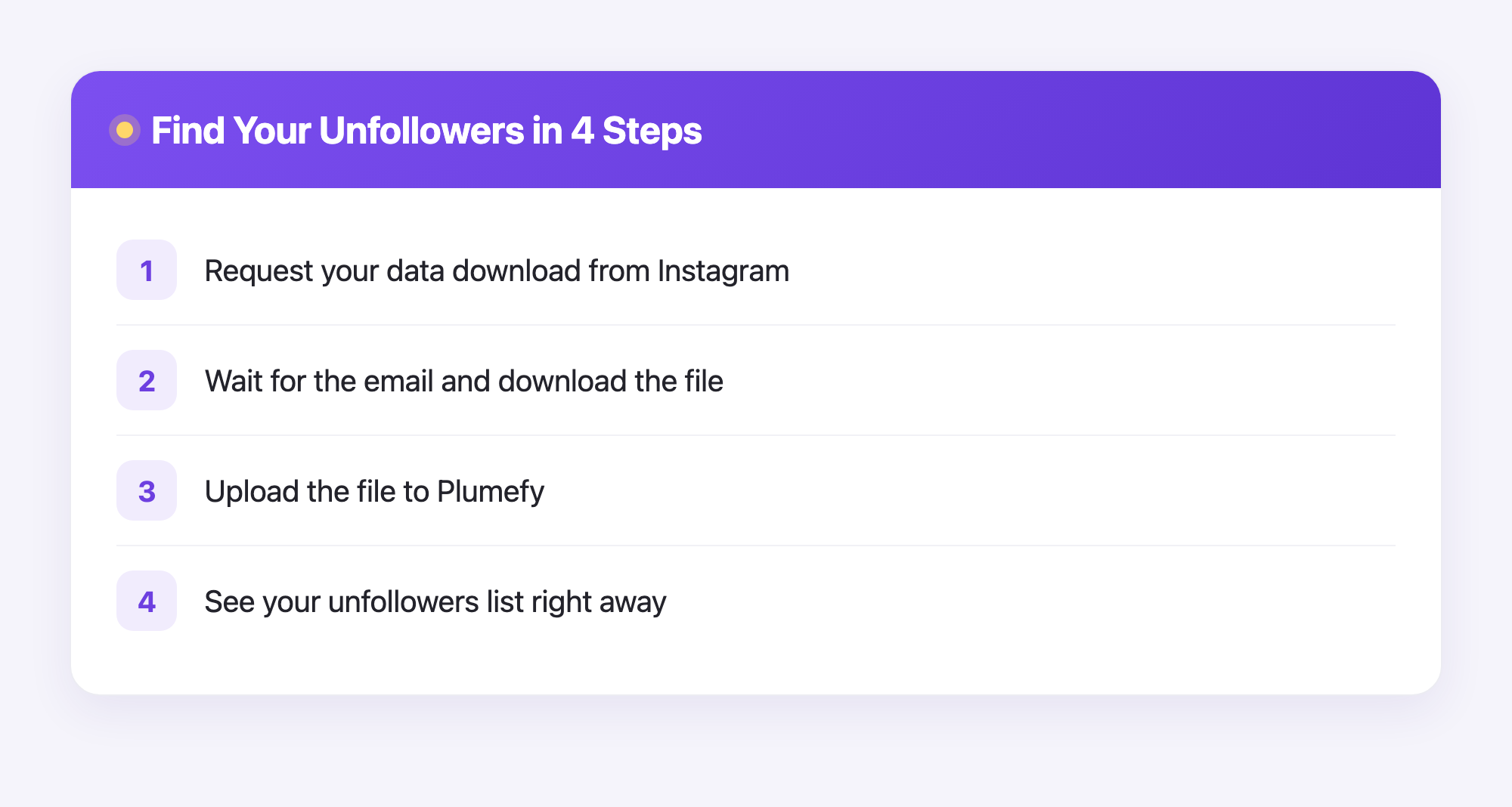
- Open Instagram settings. Go to your profile, tap the menu, and look for Your activity or Accounts Center.
- Find the download option. Look for Download your information and tap it.
- Ask for your data. Choose your account, pick the JSON format if it asks, and tap request. Instagram will get it ready.
- Wait for the email. This can take a few minutes to a couple of days. Instagram will email you a link.
- Download the file. Open the email, tap the link, and save the followers and following file to your device. It usually comes as a zip file.
That file holds the two lists we talked about. Now you need to compare them. You could open the files and read every name yourself, but that is slow and tiring, especially if you follow a lot of people. A tool can do the matching for you in seconds.
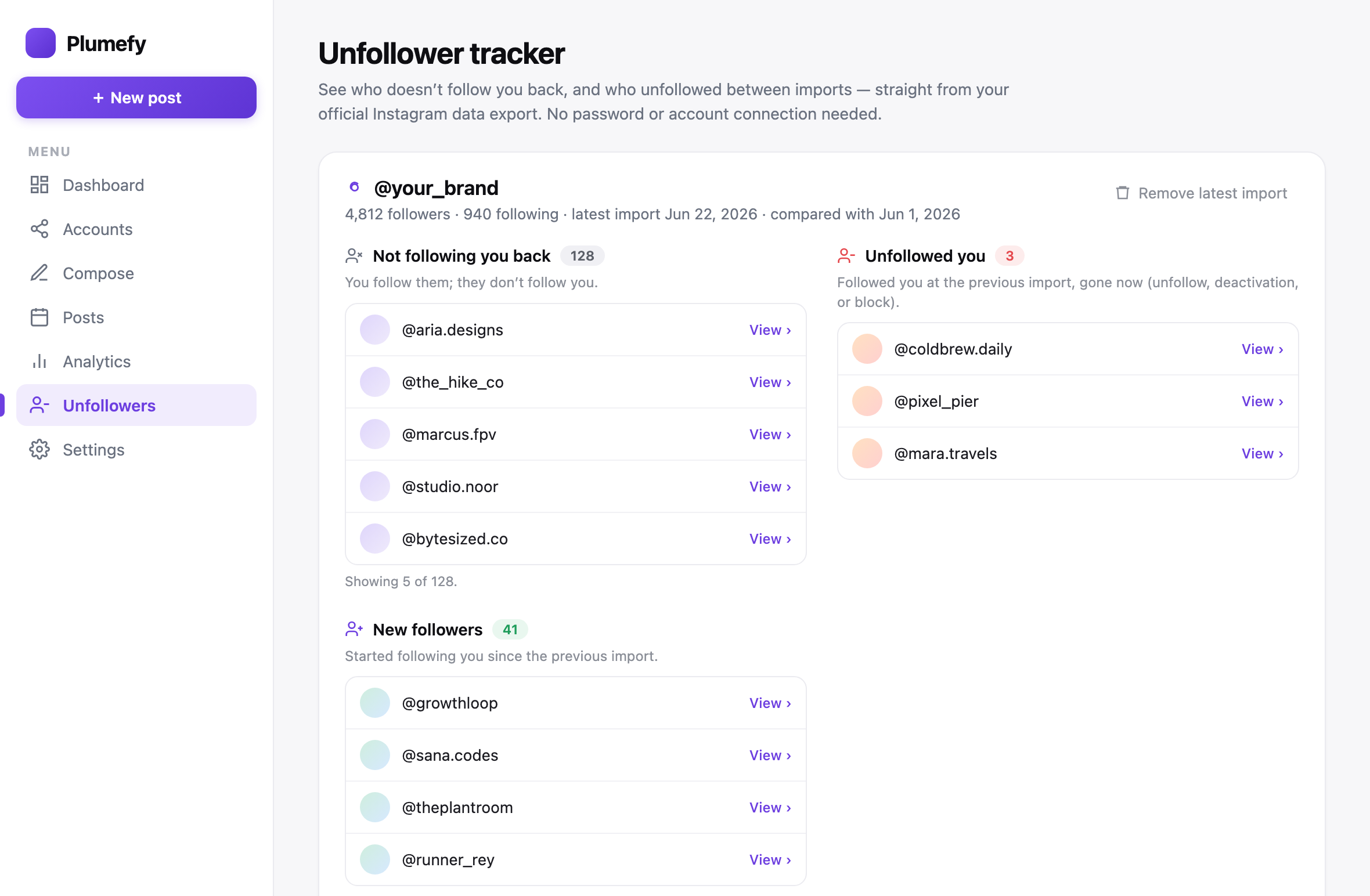
This is where Plumefy helps. You upload the file you just downloaded. Plumefy reads your two lists, matches them, and shows you a clean list of accounts that do not follow you back. No password. No logging into Instagram. It only reads the file you give it.
What the results show you
Once your file is uploaded, you get a simple screen. It lists the accounts that unfollowed you or never followed back. You can scroll through the names and decide what to do. Maybe you want to unfollow them too. Maybe you just want to know. Either way, the mystery is gone.
Here is what makes this nice:
- It is fast. No counting by hand.
- It is private. Your data stays your data.
- It is clear. You see real names, not guesses.
A few honest notes
Let us be fair and clear. A tool can only show what is in your file. If you downloaded your data a week ago, it shows last week. To get fresh results, download a new file. Also, a person might be missing from your list because they deactivated their account or got blocked, not because they unfollowed you. So read the list with kind eyes. People come and go on social media, and that is okay.
The big win is simple: you are using your own data in a safe way. You are not handing your password to a stranger. That is the right way to check.
Frequently asked questions
Is it safe to check who unfollowed me?
Yes, when you use your own data export. You download your information from Instagram and upload it yourself. You never share your password, so your account stays secure.
Do I need to give my Instagram password to Plumefy?
No. Plumefy never asks for your password and never logs into Instagram. It only reads the file you upload from your own data download.
Why can I not just look in the app?
Instagram does not show a list of people who left. It only shows your current followers and following. Comparing those lists by hand is slow, so a tool does it for you.
How long does the Instagram data download take?
Sometimes a few minutes, sometimes up to two days. Instagram sends an email with a link when your file is ready. Just wait for that email.
Can I check more than once?
Yes. Each time you want fresh results, download a new data file from Instagram and upload it again. The new file shows your latest followers.
Does this work for business and creator accounts?
Yes. Any Instagram account can request a data download, so the same steps work no matter what kind of account you have.
Now you know exactly how to spot who unfollowed you, the safe and honest way. No tricks, no passwords, just your own data doing the work. Give it a try and clear up the mystery today. Try Plumefy free →
Post everywhere, once.
Start your 7-day free trial — nothing charged today, cancel anytime.
Start free