How to Find Inactive Instagram Followers (Beginner Guide)
Learn how to find inactive Instagram followers using your own data export. No password needed. A simple, safe, step-by-step guide for total beginners today.

Do you ever wonder who really pays attention to your posts? Some accounts follow you but never like, comment, or even look. These quiet accounts are your inactive Instagram followers. They sit in your list and do nothing. The good news: you can find them, and you never have to share your password.
This guide is for total beginners. We will go slow. By the end, you will know exactly how to spot the followers who stopped caring, in a way that is safe and simple.
What are inactive Instagram followers?
An inactive follower is an account that follows you but does not engage. They skip your photos. They never tap like. Some are old accounts nobody uses anymore. Others might be bots.
Why should you care? A few reasons:
- Real numbers feel better. A small list of true fans beats a big list of ghosts.
- Better reach. Instagram favors posts that get quick likes and comments. Dead followers drag your numbers down.
- A clear picture. You learn who your real audience is, so you can make posts they love.
You do not have to remove anyone. Just knowing is a great first step.
The safe way to find them (no password needed)
Here is the most important part. Never type your Instagram password into a random app or website. Apps that ask for your login can get your account banned or stolen.
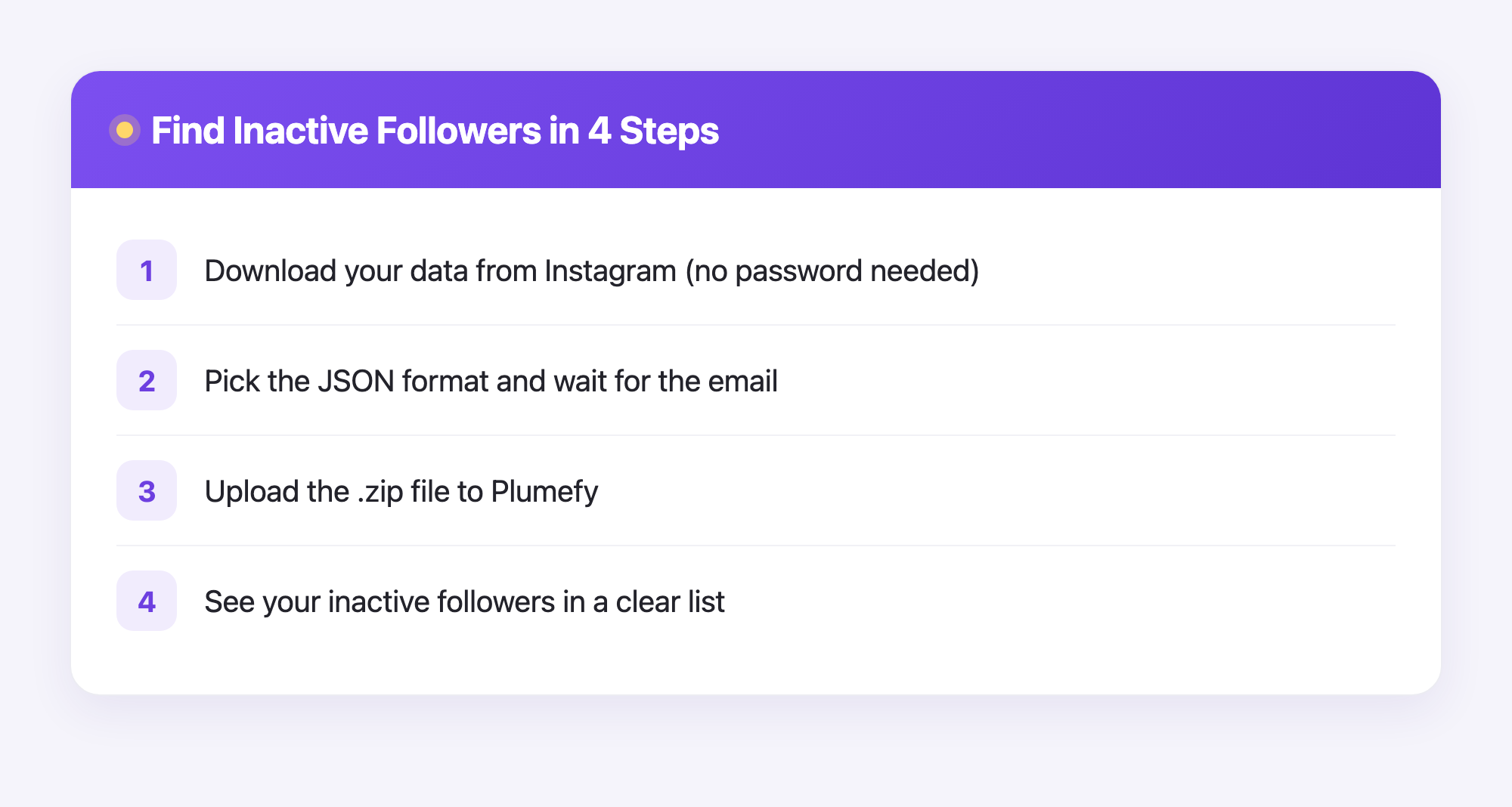
Instead, we use a method that is completely safe. Instagram lets you download your own data. This is a file that lists who follows you and who you follow. You ask Instagram for it. Instagram sends it to you. Then you upload that file to a tool that reads it for you.
No password. No logging in for anyone. Just your own data, in your own hands.
Step by step: get your Instagram data
Follow these steps in the Instagram app or website:
- Open Instagram and go to your profile.
- Tap the menu, then open Settings.
- Find Accounts Center, then Your information and permissions.
- Tap Download your information.
- Ask for your followers and following info. Choose the format called JSON.
- Wait. Instagram emails you a download link. This can take a few minutes, or up to a day.
When the file arrives, save it to your computer or phone. It usually comes as a .zip file. You do not need to open it yourself. The next step does the hard work for you.
Step by step: see who is inactive with Plumefy
Now the fun part. This is where a tool saves you tons of time. Plumefy reads your data file and shows you the results in a clean list. You never give it your password.
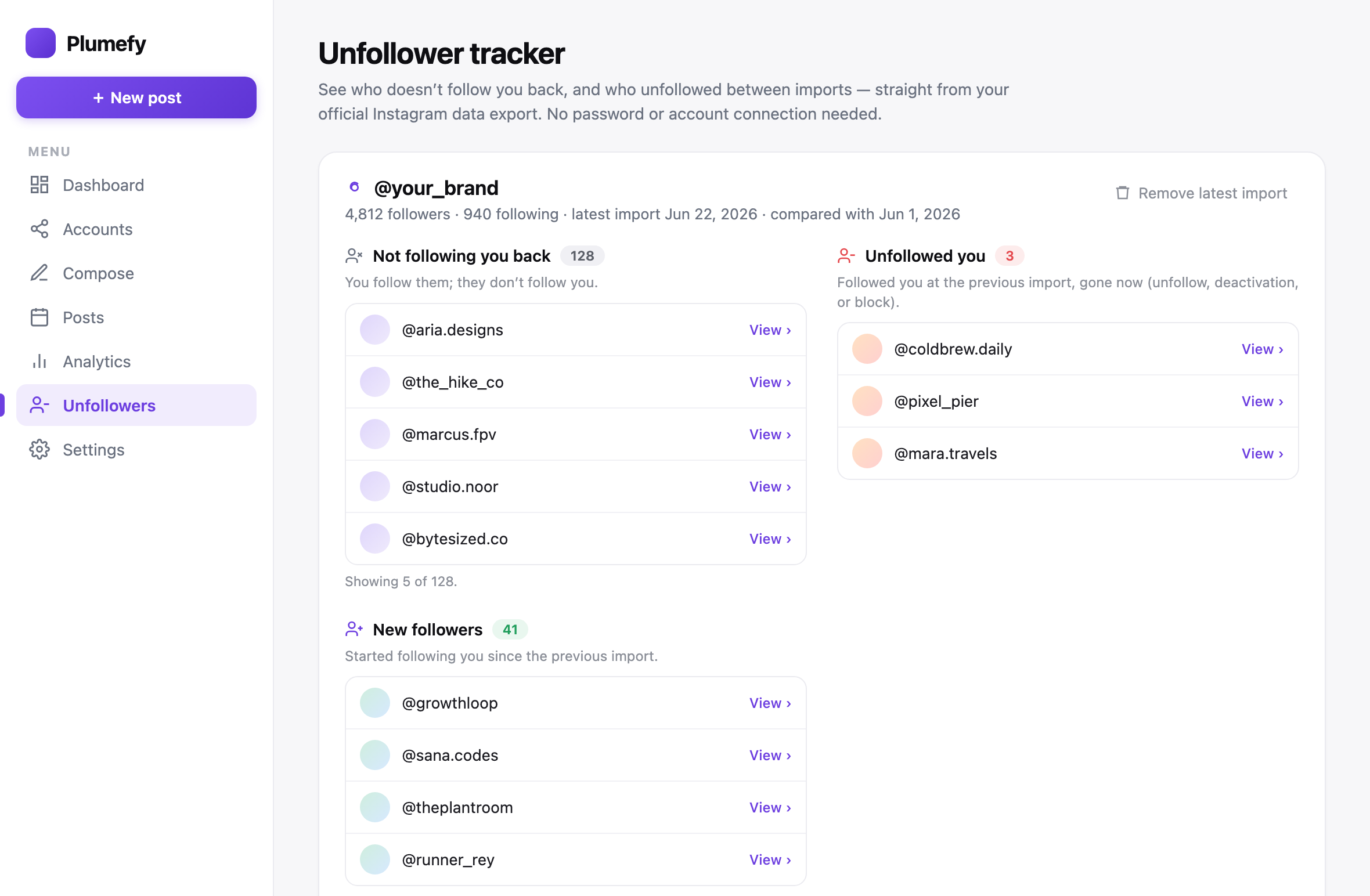
Here is how it works:
- Make a free Plumefy account.
- Upload the .zip file you got from Instagram.
- Plumefy reads it safely and compares your followers with the people you follow.
- In seconds, you see a clear list. It shows who does not follow you back and helps you spot quiet, inactive accounts.
That is it. No guessing. No scrolling through hundreds of profiles by hand. The results sit right in front of you, easy to read.
Simple ways to clean up your followers
Once you can see your inactive Instagram followers, you get to choose what to do. No rule says you must remove anyone. But here are a few gentle options:
- Do nothing. Just enjoy knowing the truth about your audience.
- Post more of what real fans like. Use what you learned to make better content.
- Remove or block ghosts slowly. If you want a cleaner list, take it a few at a time.
Go at your own pace. Small steps add up.
Frequently asked questions
Do I need my Instagram password to find inactive followers?
No. You download your own data from Instagram, then upload that file to a tool. Your password stays private and safe.
Is it safe to use my data export?
Yes. The data export is a file Instagram gives directly to you. Reading your own file is safe and breaks no rules.
How long does the Instagram data download take?
It can be as fast as a few minutes, but sometimes it takes up to 24 hours. Instagram emails you when your file is ready.
Can Plumefy unfollow people for me?
Plumefy shows you who is inactive or not following you back. You stay in control and decide who, if anyone, to remove.
Will checking inactive followers get my account banned?
No. Since you never share your password and only use your own data, your account stays safe.
Finding your quiet followers is easier than you think. With your own data and a simple tool, you can see the truth about your audience in minutes. Ready to give it a try?
Post everywhere, once.
Start your 7-day free trial — nothing charged today, cancel anytime.
Start free