How to See Who Unsubscribed From You on YouTube
Lost YouTube subscribers? Learn what YouTube Studio actually shows, how to spot which videos cost you subscribers, and safe ways to track your audience.

Your subscriber count dipped, and now you want names: who unsubscribed from your YouTube channel? Here is the honest truth up front — YouTube does not reveal who left, and no app can safely tell you. But YouTube gives you something arguably more useful: it shows you exactly which videos gained and lost subscribers. This guide shows you where to look and what to do with it.
What YouTube actually shows you
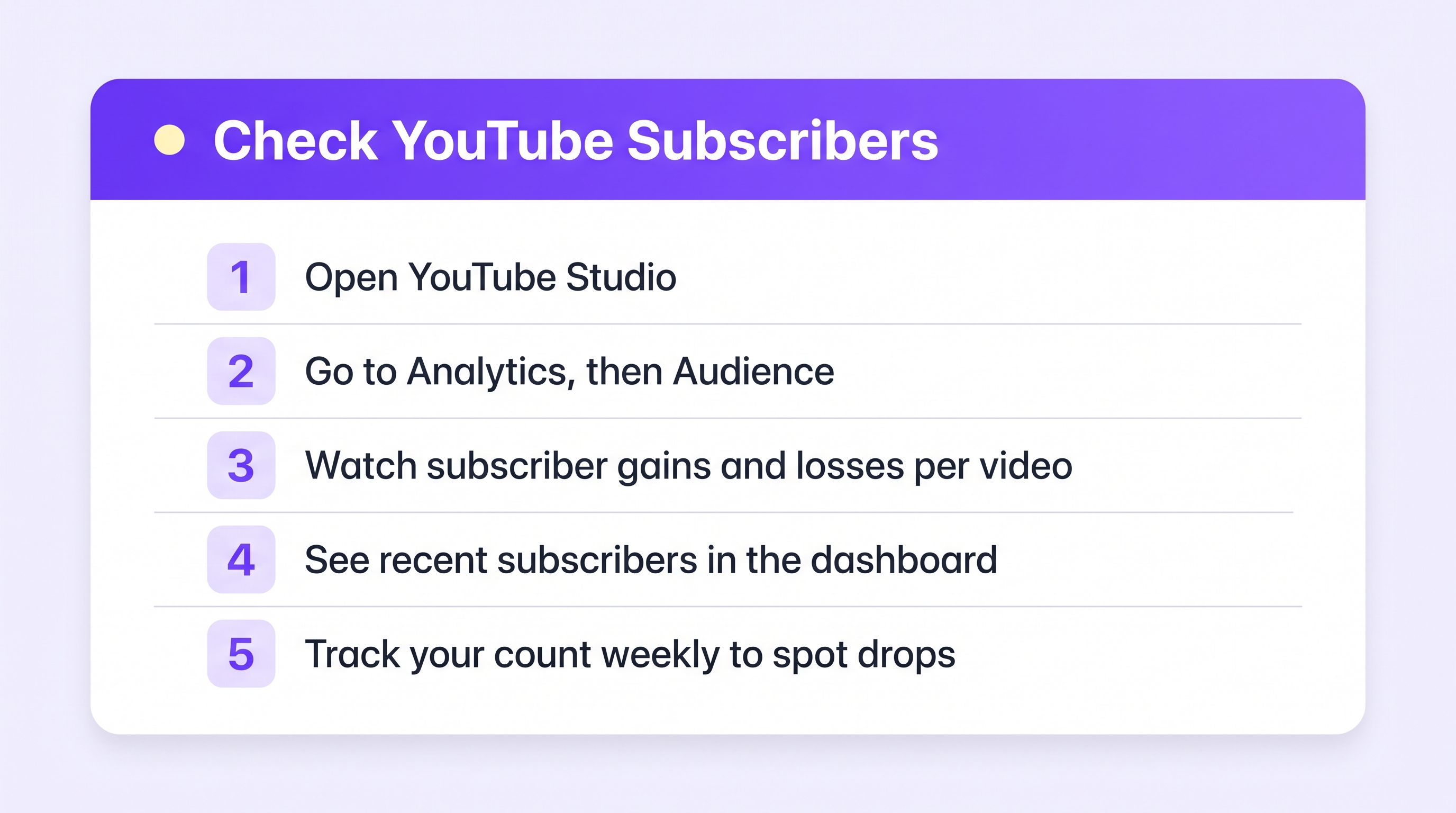
Open YouTube Studio (the app or studio.youtube.com) and you get three useful views:
1. Recent subscribers. On the Studio dashboard, the “Recent subscribers” card shows people who recently subscribed publicly. Helpful for saying thanks — but note it only shows public subscribers, and only recent ones.
2. Subscriber change per video. This is the gold. Go to Analytics → Audience, or open any video's analytics and find Subscribers. YouTube shows “Subscribers gained” and “Subscribers lost” for each video. If one video lost you 40 subscribers, you know exactly which content pushed people away.
3. Subscriber trend over time. Analytics shows your net subscriber line. Zoom into the day of a drop and check what you published (or what got surfaced) that day.
The pattern matters more than the names. Ten quiet unsubscribes spread over a month is noise. Forty on the day a video went out is a message.
Why you cannot get names (and why that is okay)
Subscribing is treated as private information on YouTube. Many subscribers keep their subscriptions hidden entirely, and YouTube never publishes a “who left” list. Any app that promises to name your unsubscribers is either guessing from your public subscriber list — unreliable — or asking for account access it should not have. Be careful with anything that wants your Google password or broad channel permissions.
What you can know safely:
- How many left, and when (Studio analytics).
- Which videos cost subscribers (per-video subscriber data).
- Whether a drop is real — YouTube also removes spam accounts periodically, which shows up as small unexplained dips.
What to do when subscribers drop
- Find the video. Check per-video “subscribers lost” for the drop window.
- Look for the mismatch. The usual cause: the video attracted viewers who expected something else — a clickbait title, a topic swerve, or a viral hit outside your niche.
- Do not delete in a panic. A video that loses 30 subscribers but gains 300 is doing its job.
- Watch the 30-day line, not the daily wiggle. Every healthy channel has red days.
Where Plumefy fits (the honest version)
Plumefy's unfollower tracker works with TikTok and Instagram, where those platforms let you download your own follower lists — that is how it can show exactly who left, with no password. YouTube keeps subscriber identities private, so no tool — Plumefy included — can name your unsubscribers. We would rather tell you that plainly than pretend.
Where Plumefy does help YouTube creators: scheduling and cross-posting. Publish your Shorts and clips to YouTube, TikTok, Instagram, and more from one place, and track your TikTok and Instagram audiences the safe, data-export way while YouTube Studio covers your channel stats.
Frequently asked questions
Can I see a list of people who unsubscribed from my YouTube channel?
No. YouTube treats subscriptions as private and offers no unsubscriber list. Only counts and per-video gains/losses are available, in YouTube Studio.
Why did my subscriber count drop with no video published?
YouTube periodically removes closed and spam accounts. Small, unexplained dips across quiet days are usually that cleanup, not real people leaving.
Are “see who unsubscribed” apps for YouTube safe?
Treat them with suspicion. YouTube does not expose that data, so such apps either guess or over-reach with your account access. Never hand over your Google password.
Which platforms CAN show exactly who unfollowed me?
TikTok and Instagram — both let you download your own follower lists, and a tool like Plumefy compares two downloads and names exactly who left. Here is how it works for TikTok.
Chase the pattern, not the names. Your analytics already tell you what your audience wants more of — and less of.
Post everywhere, once.
Start on the free plan — no card needed, upgrade when you need scheduling.
Start free