How to See Who Unfollowed You on Facebook
Want to know who unfollowed you on Facebook? This simple, safe, beginner-friendly guide uses Facebook's own tools and your data export, plus easy next steps.
Have you ever wondered who unfollowed you on Facebook? Maybe your follower count dropped and you got curious. That feeling is normal. The good news: you can do a little friendly detective work yourself, with no risky apps and no password tricks. This guide walks you through it in plain, simple steps.
Facebook never sends a note when someone unfollows you. But your own account holds the clues. Let's learn how to read them.
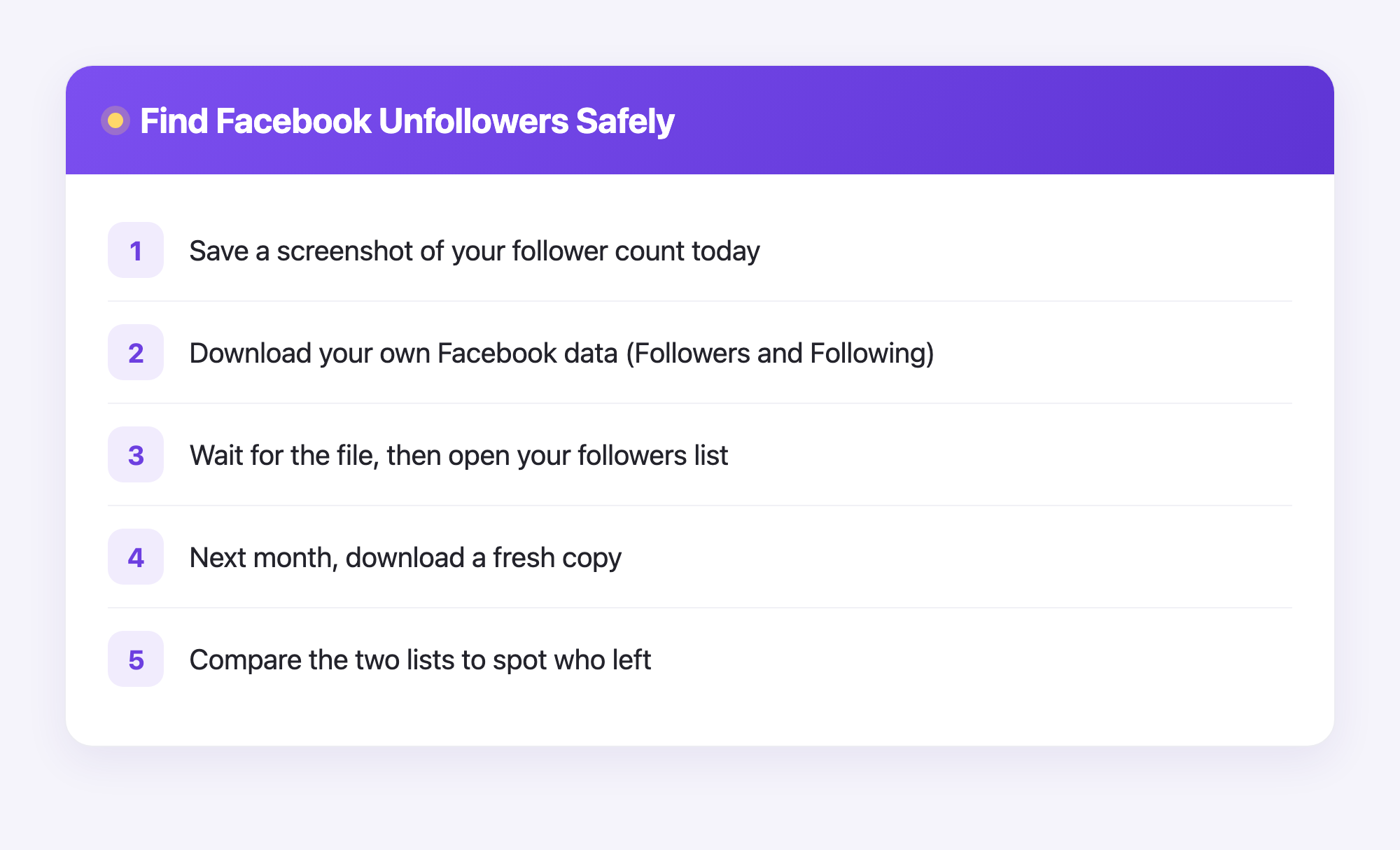
How to see who unfollowed you on Facebook
Facebook has no button that says "show me my unfollowers." That button does not exist. So we use the tools Facebook already gives you. Here is the safe way.
- Open Facebook and go to your profile.
- Look at your Followers number. Write it down or take a screenshot.
- Check that same number again in a few days or weeks.
- If it dropped, someone unfollowed you.
To find out who left, look at your followers list:
- Tap your name to open your profile.
- Find the Friends or Followers section.
- Scroll through the people who follow you.
- Compare the list to a screenshot you saved earlier.
This works best when you save a list now and then. Then you can spot who is missing. It takes a little patience, but it is honest and safe.
Be careful with apps that promise to show your unfollowers instantly. Many ask for your password and can steal your account. The safe path is to use Facebook's own tools, like we did above.
Use your Facebook data download for proof
Facebook lets you download a copy of your own information. This is the safest way to keep records. You never give your password to anyone. You simply ask Facebook for your own data.
Here is how:
- Go to Settings and Privacy, then Settings.
- Find Your Information or Download Your Information.
- Choose Followers and Following.
- Pick a format and request the file.
- Wait for Facebook to email you when it is ready.
When the file arrives, you will get a folder. Inside, look for a file named followers or following. Open it to see your lists. Save this file. Next month, download a fresh one and compare the two. Anyone who left the new list unfollowed you. Simple, safe, and true.
A quick word on tracking unfollows the easy way
Checking by hand works, but it can feel slow. This is where a tool can help, with one honest catch: automatic unfollower tracking depends on the platform.
Plumefy can track unfollowers for Instagram, and it does it the safe way. You download your own data from Instagram and upload it to Plumefy. No password sharing. No logging into your account. Plumefy reads your data export and shows you who unfollowed you, clearly and kindly.
For Facebook right now, the manual data-download method above is the trustworthy path. But if you also post on Instagram, Plumefy can watch your unfollows there for you.
There is a bonus too. Plumefy also helps you schedule posts and cross-post to many social platforms at once. You write something once, and it goes everywhere you want. That saves a lot of time.
Tips to keep your followers happy
Instead of only worrying about who left, try caring for the people who stay. Here are a few gentle ideas:
- Post on a steady schedule. People like knowing when to expect you.
- Reply to comments. A kind reply makes someone want to stick around.
- Share helpful or fun things, not just ads.
- Be yourself. Real beats perfect every time.
Losing a follower or two is normal. Even huge creators lose some. What matters is that you keep showing up for the people who love what you make.
Frequently asked questions
Does Facebook tell you when someone unfollows you?
No. Facebook sends no alert when someone unfollows you. You have to notice the drop in your follower count, or compare your lists yourself.
Is it safe to use apps that show Facebook unfollowers?
Most are not safe. Many ask for your password and can take over your account. Stick to Facebook's own tools and your data download instead.
What is the difference between unfollowing and unfriending?
Unfriending removes the friend link between two people. Unfollowing just means your posts stop showing in their feed, even if you are still friends.
Can Plumefy track who unfollowed me on Facebook?
Plumefy's unfollower tracking is for Instagram only, using your own Instagram data export. For Facebook, use the manual data-download method in this guide.
How often should I check for unfollowers?
Once a month is plenty for most people. Save a follower list, then compare it next month. Checking too often just makes you stressed.
Now you know how to spot unfollowers in a safe, simple way, and how to keep the followers you have. If you also post on Instagram and want automatic unfollow tracking plus easy scheduling across platforms, give Plumefy a try.
Post everywhere, once.
Start your 7-day free trial — nothing charged today, cancel anytime.
Start free