How to Write Instagram Captions: A Beginner Guide
Learn how to write Instagram captions that stop the scroll, even as a total beginner. Simple steps, copy-and-paste examples, and free tips to grow your posts.

Instagram captions are the words under your photo or video. Think of them as a short note to your followers. The right caption makes people stop scrolling, smile, and tap like. The best part? You do not need to be a writer. A few simple tricks are all it takes to write great Instagram captions.
Let's start at the beginning. Take a deep breath. This is easier than you think.
What Makes a Caption Good
A caption has one job: make your reader feel something or do something. Maybe you want them to laugh. Maybe you want them to comment. Maybe you just want them to remember you. A good caption is clear, kind, and sounds like the real you.
Here are the three parts of a strong caption:
- A hook. Your first line. It grabs attention fast.
- A middle. Where you share your thought or tell a short story.
- An ending. Where you ask a question or invite a reply.
You will not need all three every time. But they make a great recipe to start with.
How to Write Instagram Captions Step by Step
Follow these easy steps in order. You will feel proud when you finish.
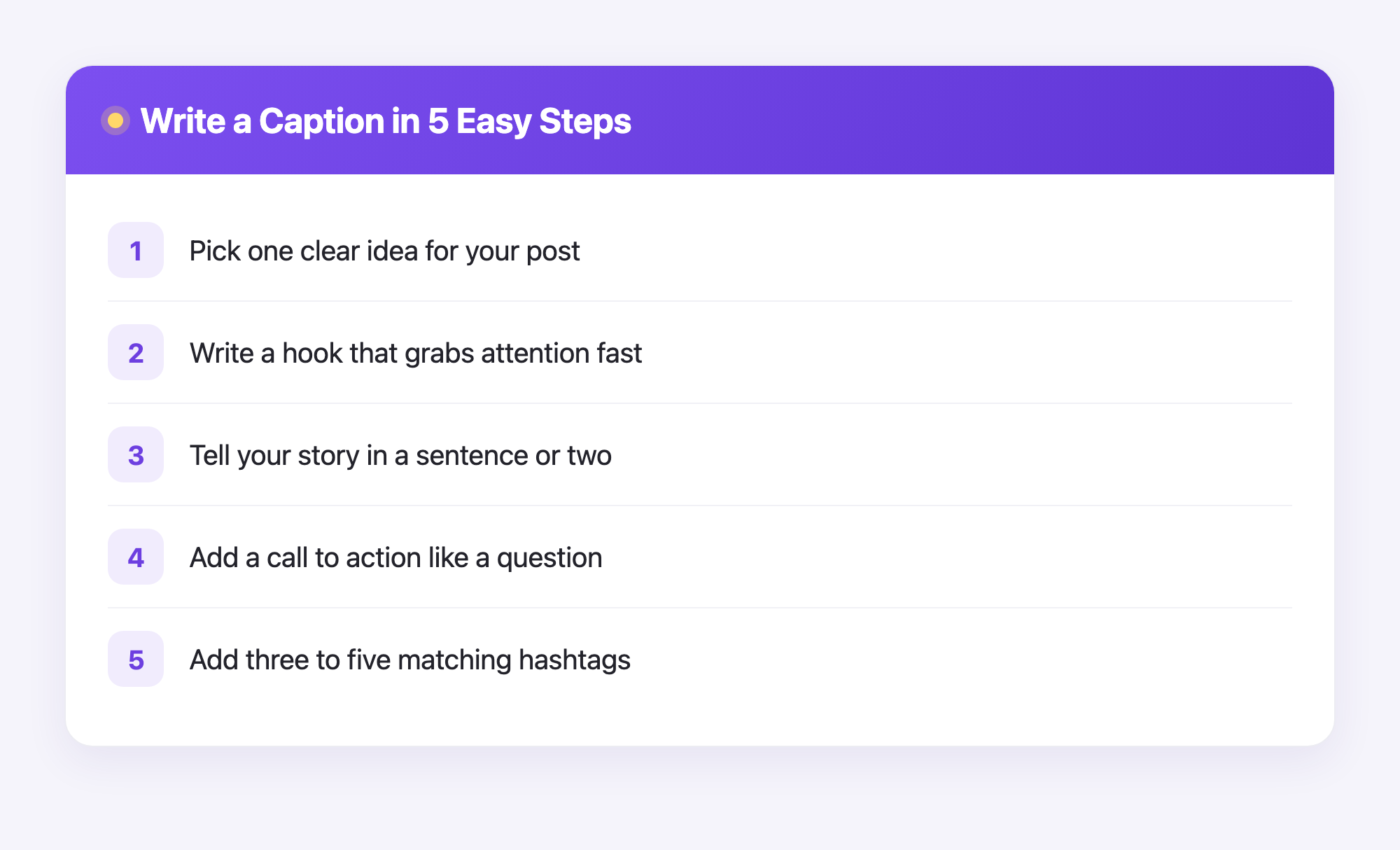
- Pick one idea. Do not try to say five things. Say one thing well. What is this post really about?
- Write your hook. Make the first line fun or surprising. Try a question like "Want to know my secret?" Or a bold line like "I almost gave up today."
- Add the middle. Write a sentence or two more. Keep it simple. Write the way you talk to a friend.
- Add a call to action. Ask your reader to do one small thing, like "Tell me below" or "Save this for later."
- Add a few hashtags. Pick three to five words that match your post. They help new people find you.
- Read it out loud. If it sounds odd, fix it. If it sounds like you, you are done.
Pro tip: Write a few captions ahead of time. Then you are never stuck staring at a blank screen when you want to post.
Easy Caption Ideas You Can Copy
Stuck for words? Try one of these starters and fill in the blank:
- "Here is what nobody tells you about ___."
- "I used to think ___, but now I know ___."
- "Three things I learned this week: ___."
- "Drop a heart if you agree."
- "What would you do? Tell me below."
Mix and match these. Add your own voice. Soon you will not need the list at all.
Common Caption Mistakes to Skip
New creators often trip on the same things. Here is how to dodge them:
- Too long and dull. Get to the point. People scroll fast.
- No call to action. If you never ask, people rarely reply.
- Copying someone word for word. Take ideas, not whole sentences. Your voice matters.
- Skipping the spell check. A quick read keeps you looking sharp.
How Plumefy Helps You Post Smarter
Writing the caption is step one. Sharing it is step two. This is where Plumefy makes life easy.
With Plumefy you write your caption once and schedule it to post later. You can also share the same post to many social platforms at once, so there is no copy and paste all day long. Sit down on Sunday, write a week of captions, and let Plumefy post them for you.
Plumefy helps Instagram creators in another way too. It can show you who unfollowed you, and it does this without your password. You never log into Instagram through Plumefy. Instead, you download your own data file from Instagram and upload it to Plumefy. Plumefy reads that file and shows you the answers. Your account stays safe and in your hands.
So you get more time to write great captions and a clearer view of your followers. That is a nice combo for any beginner.
Frequently Asked Questions
How long should an Instagram caption be?
There is no perfect length. Short captions are fine for a quick laugh. Longer ones work when you tell a story. Start short and grow as you feel ready.
How many hashtags should I use?
Three to five is a safe, friendly number for beginners. Pick words that truly match your post so the right people find it.
Do I need to write captions every day?
No. You can write many captions at once and schedule them with Plumefy. This saves time and stress.
Can Plumefy see my Instagram password?
No. Plumefy never asks for your password and never logs into Instagram for you. You upload your own data file, and Plumefy reads only that.
What if I feel shy about my writing?
That is normal. Start small, write the way you talk, and post anyway. Every caption you write makes the next one easier.
Writing captions gets easier each time you try. Pick one tip from this guide and use it on your next post today. You have got this, and a little help goes a long way. Try Plumefy free →
Post everywhere, once.
Start your 7-day free trial — nothing charged today, cancel anytime.
Start free