How to Batch-Film a Month of Short Video in One Day
Film a month of short video in one day. The outfit-swap trick, shot lists, clip organization, and how to schedule the whole batch in one sitting.

The hardest part of short video is not the filming. It is the starting. Setting up the light, fixing your hair, remembering how to talk to a camera: that ramp-up costs you twenty minutes before you record a single usable second. Do that ramp-up every day and you burn hours a week on setup alone.
Batch filming flips the math. You pay the setup cost once and film ten, fifteen, twenty videos in a single session. Creators who post daily without visibly living at their tripod are almost all doing this. Here is the full one-day system, from prep to a scheduled month.
Before filming day: the prep hour
A batch day dies without a plan. Spend one hour, a few days before, on three lists.
1. The idea list
Write down 15-20 video ideas. You need more than you will film, because some will flop on camera. Pull from questions your audience asks, your best old posts worth remaking, and searchable topics in your niche. If the well is dry, remake your five best-performing posts from last quarter with sharper hooks.
2. The shot list
For each idea, write one line: the hook you will open with, the 2-3 points you will make, and the ending. Not a script, a skeleton. Full scripts make you sound like a hostage reading a statement; no notes make you ramble. The skeleton keeps takes short and confident.
3. The logistics list
Charge the phone and backup battery. Clear storage, since twenty videos eat a lot of it. Lay out props. Confirm the filming spot and the hours when its light is good. Boring, and the number one reason batch days collapse when skipped.
The outfit trick
Here is the trick everyone laughs at and then never stops using: bring several tops and change between videos. Viewers read a different shirt as a different day. Film ten videos in one afternoon, rotate five tops, and your feed looks like two weeks of consistent effort instead of one caffeinated Saturday.
Push it further if you like: change the corner of the room you shoot in, swap a hat, sit then stand. Small visual resets stop your month of content from looking like one long take.
Filming day: the flow
Structure the day so momentum builds instead of draining.
- Set up once, properly. Light facing you, camera stable, audio checked with a ten-second test clip you actually play back.
- Start with the easiest video. The first take of the day is always stiff. Burn the stiffness on a low-stakes idea, not your best one.
- Film in outfit blocks. Shoot all videos for outfit one, change, continue. Changing per video wastes time.
- Two takes, then move on. The third take is rarely better; it is just slower. Done is the goal. Perfectionism is how a 15-video day becomes a 4-video day.
- Say the video number into the camera before each take, or clap once between videos. Your future editing self needs the markers.
- Take real breaks. Energy on camera fades fast. A ten-minute walk every hour keeps take twelve from looking like a ransom video.
Expect roughly 15-30 minutes per finished video for talking content once you are warm. A full day realistically yields 10-20 videos, which at a few posts a week is a month or more of content.
After filming: organize before you edit
Raw clips rot on camera rolls. The same evening, while you still remember what everything is, move clips into folders named by video: 01-hook-mistakes, 02-morning-routine. Delete dead takes immediately. This half hour of housekeeping is the difference between editing feeling easy and feeling like an archaeology dig.
Then edit in a batch too, ideally on a different day so your eyes are fresh. Editing is a different brain mode than performing, and separating them makes both better. Export every video as a clean master file, no watermarks, into a ready-to-post folder. That folder is your content bank.
This whole philosophy extends beyond video, by the way. Writing captions, designing carousels, and planning also work better in batches, which we cover in how to batch social content.
The last mile: schedule everything in one sitting
A folder of finished videos is potential energy. It does nothing until posted, and posting manually every morning quietly reintroduces the daily grind you just escaped.
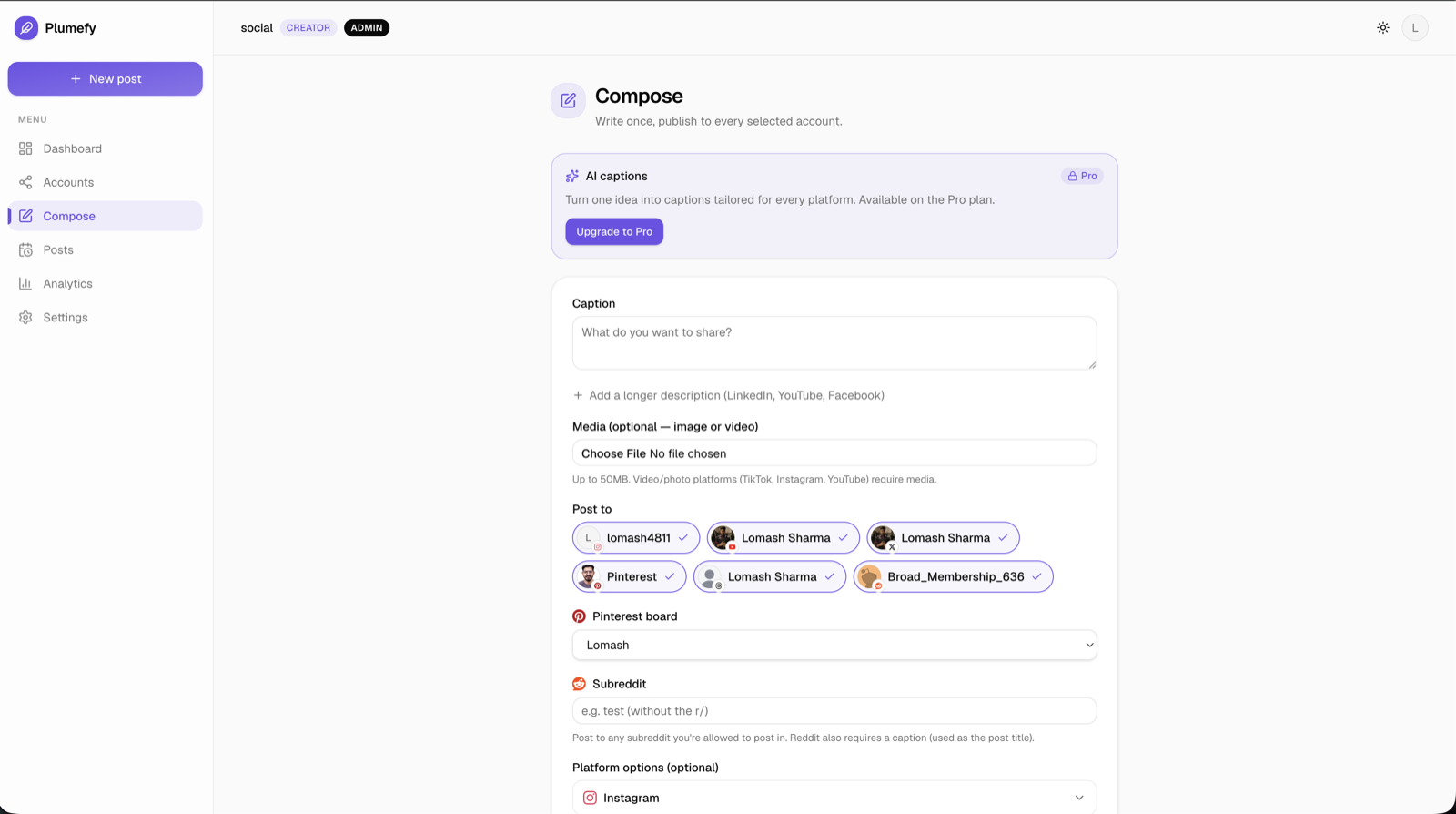
So finish the system: one scheduling session. Open Plumefy, upload the batch, write captions for each video, and spread them across the month at your chosen rhythm. Because Plumefy cross-posts to 11 networks, each video gets queued for TikTok, Reels, Shorts, and anywhere else you publish in the same pass, with per-platform captions, and AI captions on the Pro plan can draft those platform versions for you. If the queue-building step itself is new to you, bulk scheduling social media walks through it.
By Sunday night, your entire month is filmed, edited, and scheduled. Every day after that, your only jobs are replying to comments and living your life.
FAQ
Will batched content feel stale by week four?
Evergreen topics will not; they are as true in week four as on filming day. Keep trend-reactive content out of the batch and film those in the moment as one-offs. A good mix is a batched evergreen backbone plus occasional fresh reactions.
How many videos should a beginner attempt in one day?
Five. A first batch day has learning overhead, and five finished videos will genuinely surprise you. Scale to ten-plus once the system feels smooth.
What if I hate how I look or sound on take one?
Everyone does, and take one is always the worst of the day. Film the throwaway warm-up video knowing you will delete it. By take three you stop noticing the camera.
Do I need a real camera and studio lights?
No. A phone, a window, and a stack of books to prop the phone on will carry you shockingly far. Upgrade audio before anything else; viewers forgive soft images, not muddy sound.
One planning hour, one filming day, one scheduling session, one free month. That is the trade. Try Plumefy free and give your batch somewhere to go.
Post everywhere, once.
Start on the free plan — no card needed, upgrade when you need scheduling.
Start free